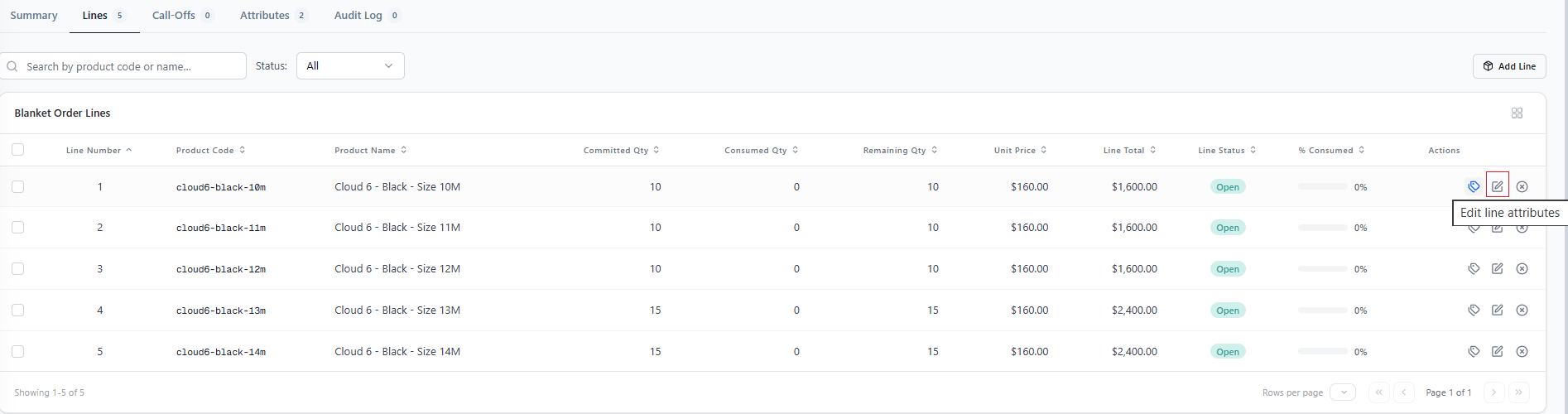
- Demand Visibility: Total committed product quantities across B2B accounts provide operations teams with clear demand signals for procurement planning and supply management before fulfillment begins.
- Inventory Protection: Blanket Orders act as pure demand signals without placing inventory holds. Soft inventory allocation and protection are managed downstream by individual Call-Off Orders.
- Contract Accuracy: Call-off requests are validated against the remaining balance of the Blanket Order, preventing unauthorized over-consumption while automatically tracking balances and contract expirations.
- Full Audit Traceability: Maintains bidirectional references between the commitment agreement and downstream call-off orders for complete operational auditing.
Blanket Order Dashboard
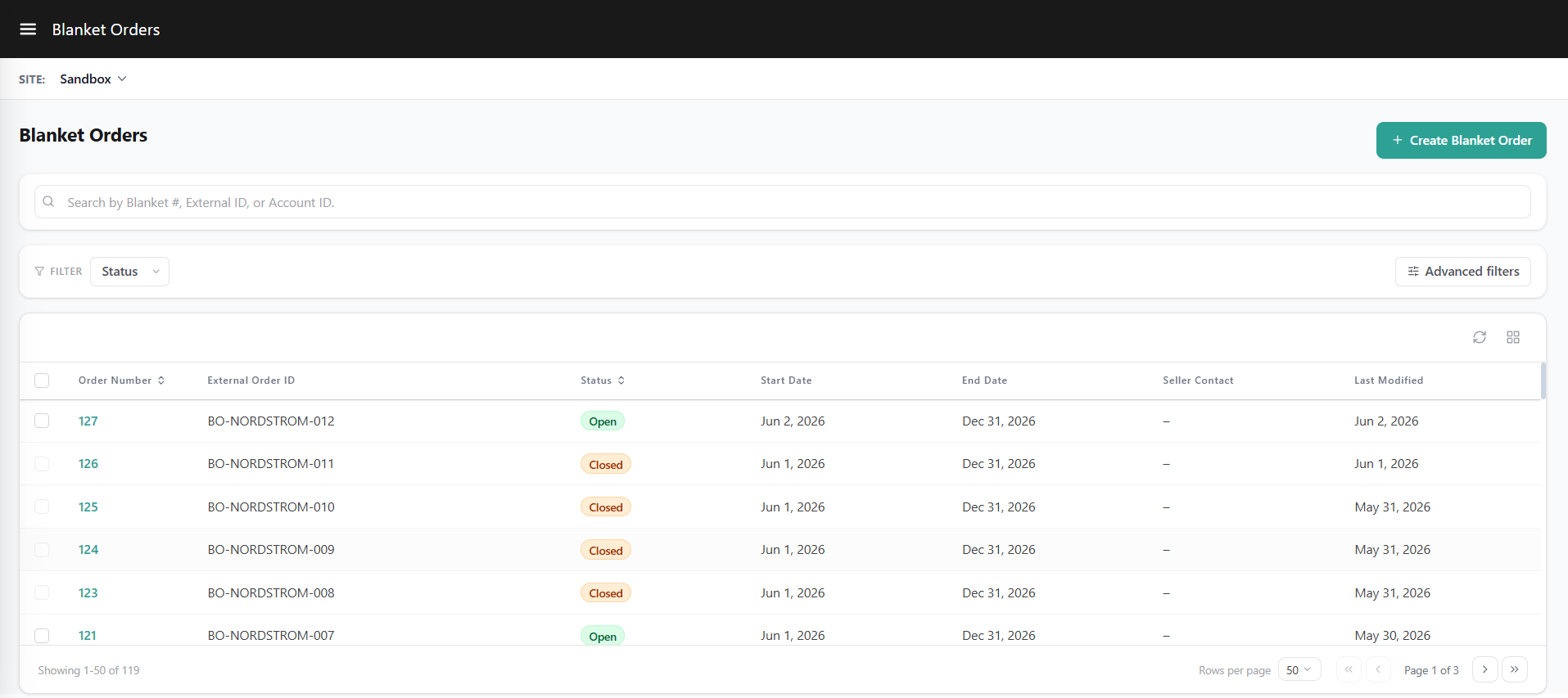
Navigate to Main > Demand > Blanket Orders. The Blanket Orders List view site provides access to blanket orders for the selected site.- Site Scope Selection: Select the target site from the site context dropdown to view blanket orders for that site.
- Centralized Search: Search for blanket orders using the Blanket Order Number, External Order ID, or Account ID.
- Life Cycle Filtering: Filter blanket orders by status.
Blanket Order Information
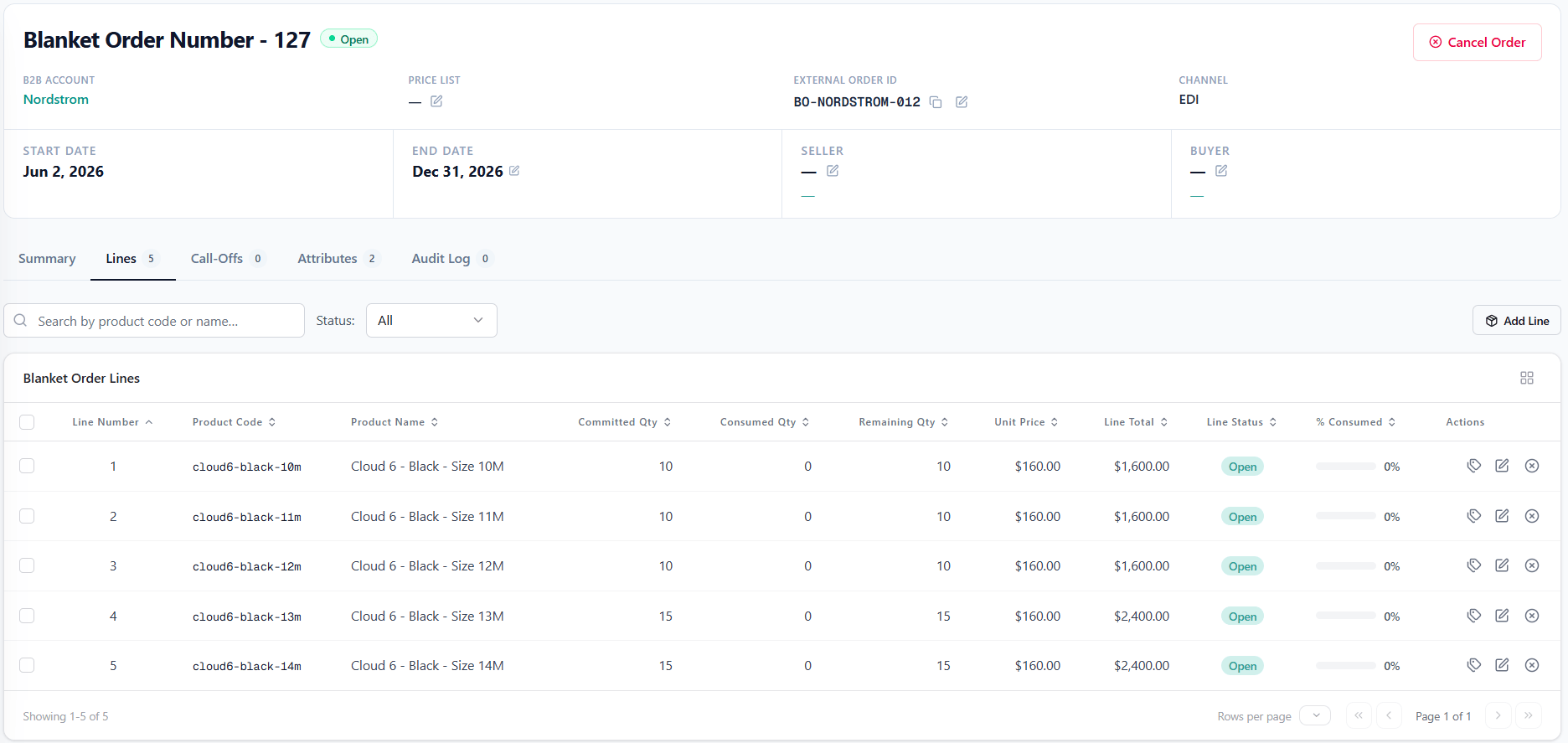
Blanket contract level details capture foundational terms, contacts, and validity dates for the agreement:- Blanket Order Number: Unique system-generated identifier for the contract.
- B2B Account: B2B Account associated with the agreement.
- Buyer Contact Name & Email: Contact information for the buyer representative (name, email, phone).
- Seller Contact Name & Email: Contact information for the assigned sales representative (name, email, phone).
- Status: System-managed lifecycle state of the contract.
- External ID: Optional external reference identifier supplied by the buyer or external system.
- Start Date: Contract validity start date.
- End Date: Contract validity end date.
- Price List: Optional price list governing negotiated product pricing.
- Channel Code: Origin channel of the order (e.g., Kibo Admin).
- Notes: Internal comments or contract notes.
- Attributes: Custom attributes configured for the Blanket Order entity.
- Note - Field editability is governed by the blanket order status. As the Blanket Order moves through its lifecycle, certain fields become locked to preserve agreement terms.
Item Level Details on Blanket Order
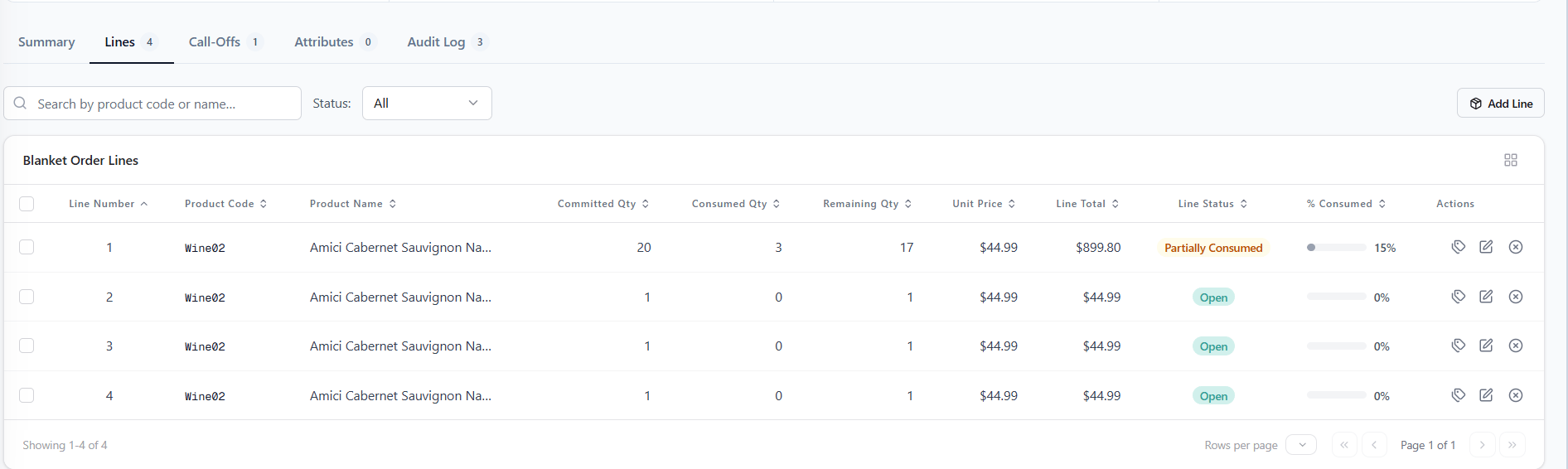
Item level details track the specific products, negotiated pricing, and quantity balances under the contract:- Line ID: Auto-assigned sequential line number within the Blanket Order.
- Product: Item included in the agreement.
- Committed Qty: Total quantity agreed upon for purchase across the contract duration.
- Consumed Qty: Total quantity drawn across validated call-off orders.
- Remaining Qty: Computed balance available for future call-off orders (Committed Qty minus Consumed Qty).
- Unit Price: Negotiated unit price.
- Line Status: Operational state of the line item (Open, Partially Consumed, Fully Consumed, or Cancelled) .
- Line Attributes: Custom attributes configured for the Blanket Order line items.
- Note - Field editability is governed by the line item status.
Blanket Order Lifecycle & Statuses
Contract Statuses
The contract status reflects the operational state of the overall Blanket Order based on validity dates and product balance consumption:- Open: The contract is activated and accepting call-off orders.
- Partially Consumed: At least one product line has been drawn down by a call-off order, while remaining balance exists on one or more lines.
- Fully Consumed: All item lines have reached zero remaining balance. If a call-off order is cancelled and restores balance to any line, the overall contract automatically re-opens for call-offs
- Expired: The contract validity end date has passed. The system automatically transitions Open contracts to Expired when the end date passes. No further call-off orders are accepted, though remaining balances on open line items may be rolled over to a new Blanket Order for the next agreement period.
- Cancelled: The Blanket Order is cancelled.
Line Item Statuses
Each product line within a Blanket Order maintains an independent status that tracks its consumption state under the agreement:- Open: The full committed quantity is available for consumption by call-off orders. No consumption has occurred.
- Partially Consumed: A portion of the committed quantity has been drawn down by call-off orders, while open balance remains on the line.
- Fully Consumed: The entire committed quantity for this line has been drawn. No further call-offs are allowed against this line unless line quantities are increased or a downstream call-off order is cancelled to restore balance.
- Cancelled: The item line has been cancelled from the agreement.
Creating a Blanket Order in Admin UI
- Navigate to Blanket Orders: Go to Demand > Blanket Orders in the main navigation menu.
- Initiate Creation: Click Create Blanket Order on the top right of the page. The Blanket Order will automatically be scoped to your currently active site context.

- Provide Blanket Order Details: Enter the required header details. Ensure the B2B Account is active, the Start Date set to and the End Date is after the Start Date.
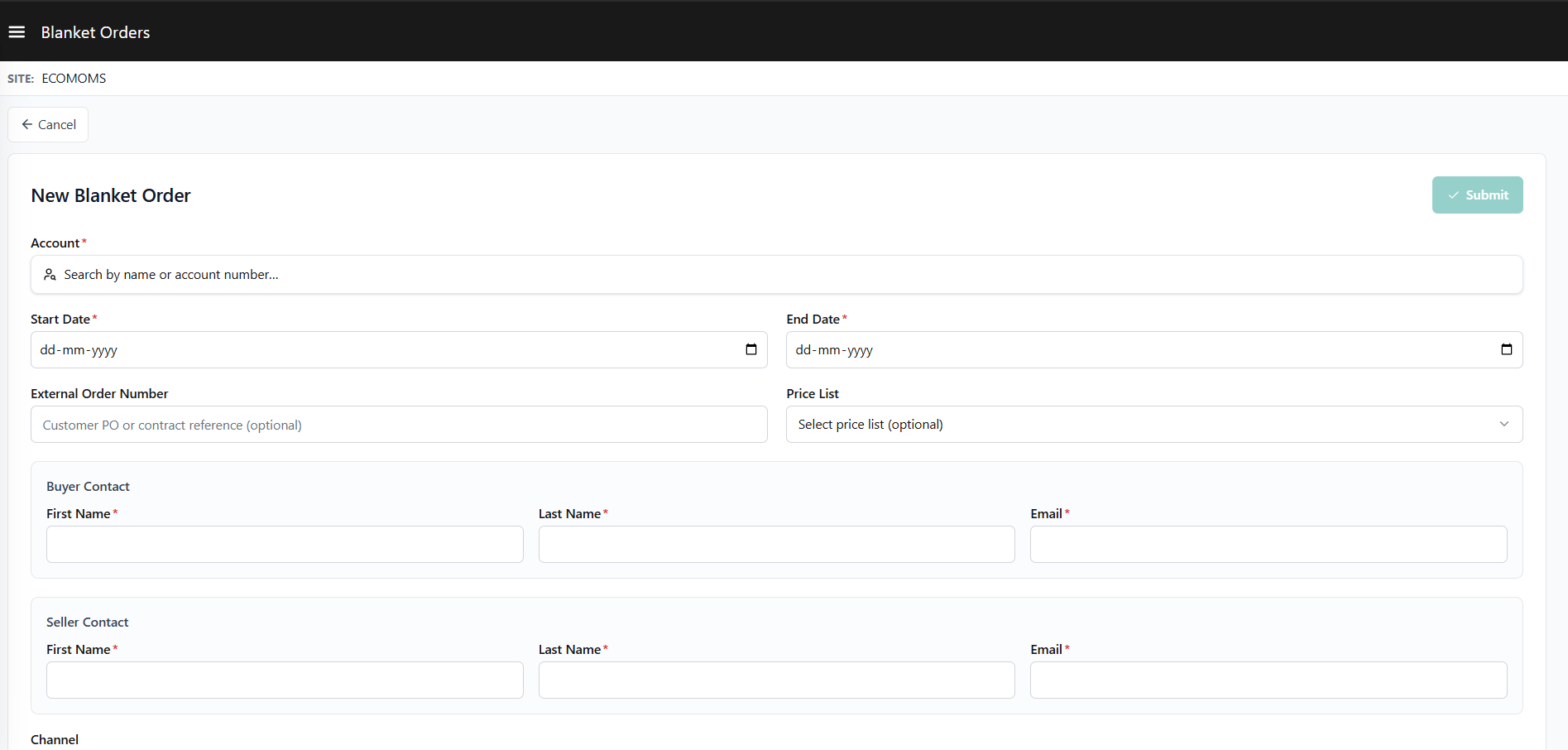
- Add Line Items: Click Add Line, select a product, and specify the Committed Qty (must be greater than zero). At least one line item is required to submit.

- Submit: Click Submit.
Cancellation
Contract and line item cancellations manage commitment termination while preserving downstream processing:- Mandatory Cancellation Reasons: An explicit cancellation reason code must be specified when cancelling a Blanket Order or an individual product line. Cancellation reason options can be customized by administrators.
- Existing Call-Off Orders Unaffected: Cancelling a Blanket Order or an individual product line does not affect or cancel any Call-Off Orders previously created from it. Existing Call-Off Orders continue through the fulfillment pipeline independently.

Roll Over to a New Blanket Order
If a Blanket Order’s expiry date has reached or passed, any line items in an “Open” status with remaining balances are eligible to be transferred to a new Blanket Order for the next agreement period. To roll over a blanket order - .- Open the expired Blanket Order.
- Select the eligible line items to roll over.
- Set a new Start Date and End Date for the new agreement.
- Provide attribute values.
Extensible Attributes
- Blanket Order Attributes: Blanket order attributes capture custom order level data, such as internal contract classifications, or legacy agreement references. For full configuration details on entity selection and attribute value sync settings, see Extensible Attributes.
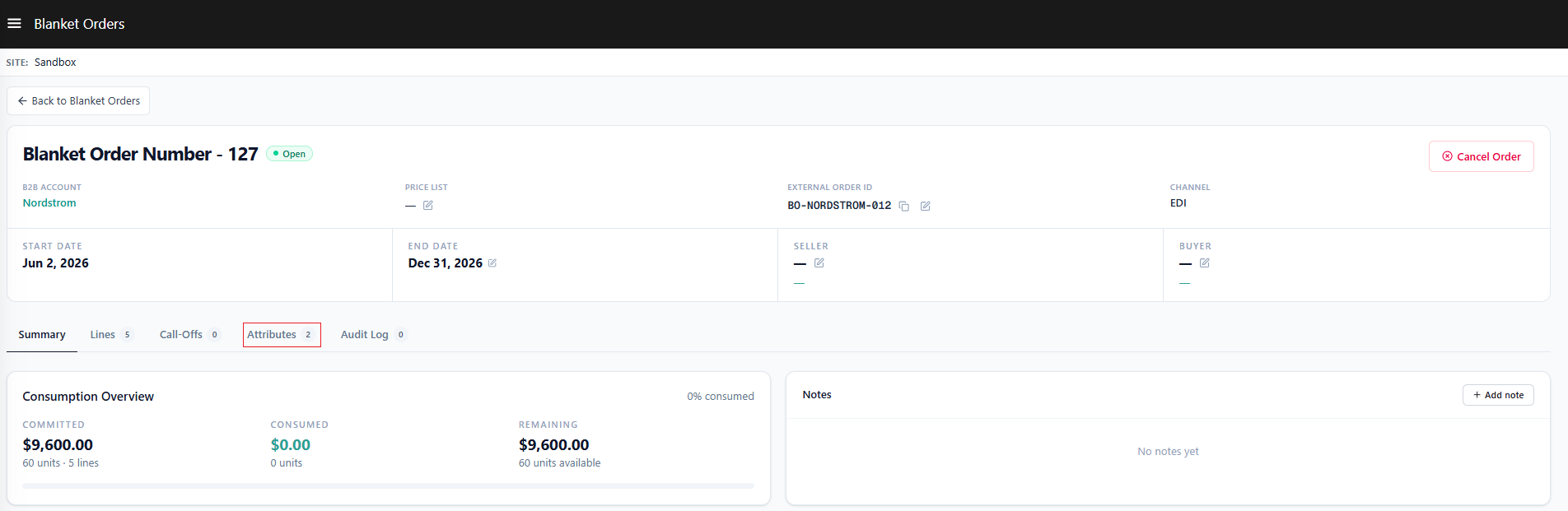
- Blanket Order Item Attributes: Blanket order item attributes capture custom line item level data, such as customer-specific part numbers, or line-level negotiated terms. For full configuration details on entity selection and attribute value sync settings, see Extensible Item Attributes.