

Watch: Customer Segments
See how to create and manage customer segments
Create a Customer Segment
To create a segment:- Go to Main > Customers > Customer Segments.
- Click Create New Customer Segment.
- Enter a Code, Name, and (Optional) a Description that have meaning to you.

Add Customers to Segments
You can either add multiple customers at a time to a single customer segment, or you can add multiple segments at a time to a single customer account. Refer to the following sections for more information.Add Multiple Customers to Single Segment
To add multiple customer accounts to a single segment:- Go to Main > Customers > Customer Segments.
- Expand the actions menu next to the customer segment you want and click Add Customers.
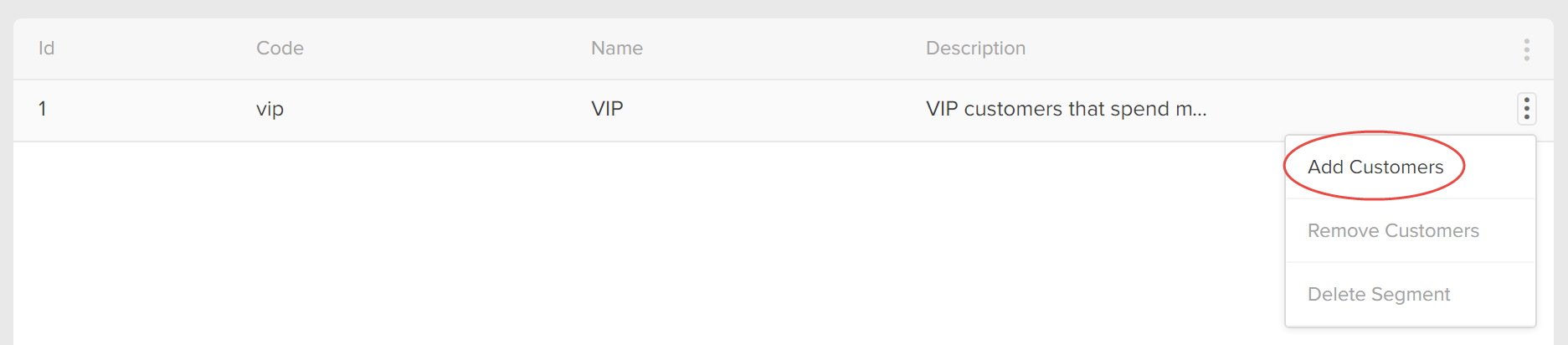
- Select the appropriate customers using the checkboxes:
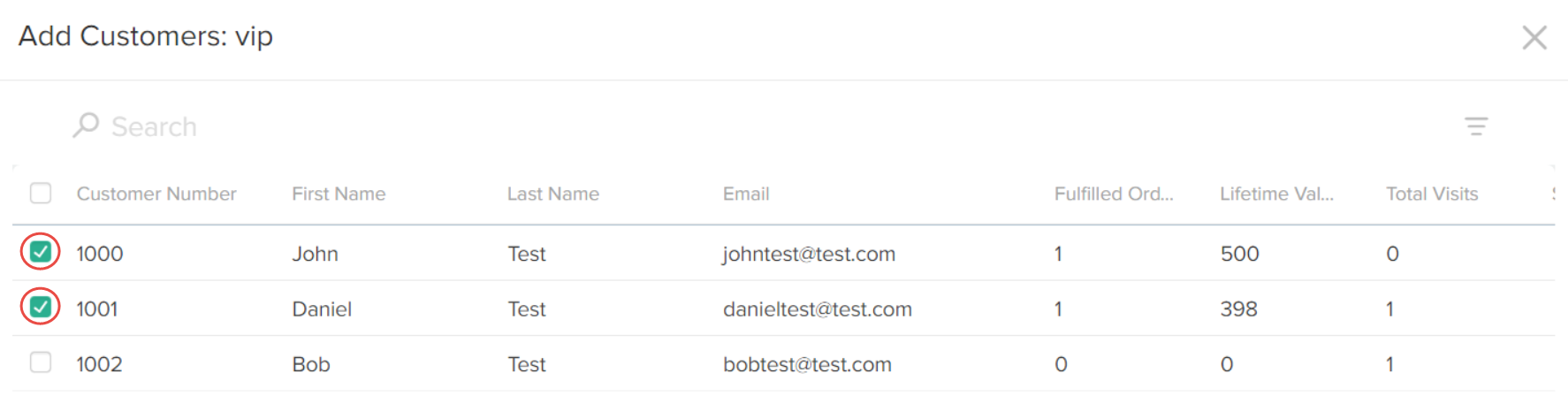
- Click Apply.
Add Multiple Segments to Single Customer
To add multiple segments to a single customer account:- Go to Main > Customers > Customers.
- Select the customer account to which you want to add to the segment(s).
- In the Customer Segments section, click Add:

- Select the appropriate segment(s) using the checkboxes:
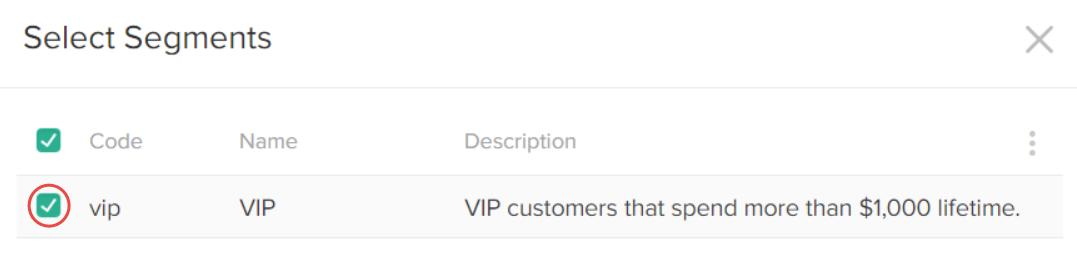
- Click Apply.
- In the customer account details page, click Save.