

Overview
What is the Order Routing Agent?
The Order Routing Agent (also known as OR-Explain Agent) is a conversational AI assistant designed to help business users understand order routing decisions. Routing setups for Kibo clients can be complex with multiple business rules and pathways evaluated before Order Routing recommends the optimal fulfillment location(s). Instead of manually reviewing logs and configuration, you can simply ask questions in plain English, and the agent will:- Explain why an order was assigned to a specific fulfillment location
- Show which routing rules were triggered for an order
- Identify alternative locations that were considered and why they were rejected
- Clarify why orders were split into multiple shipments
- Provide audit trails of routing decisions
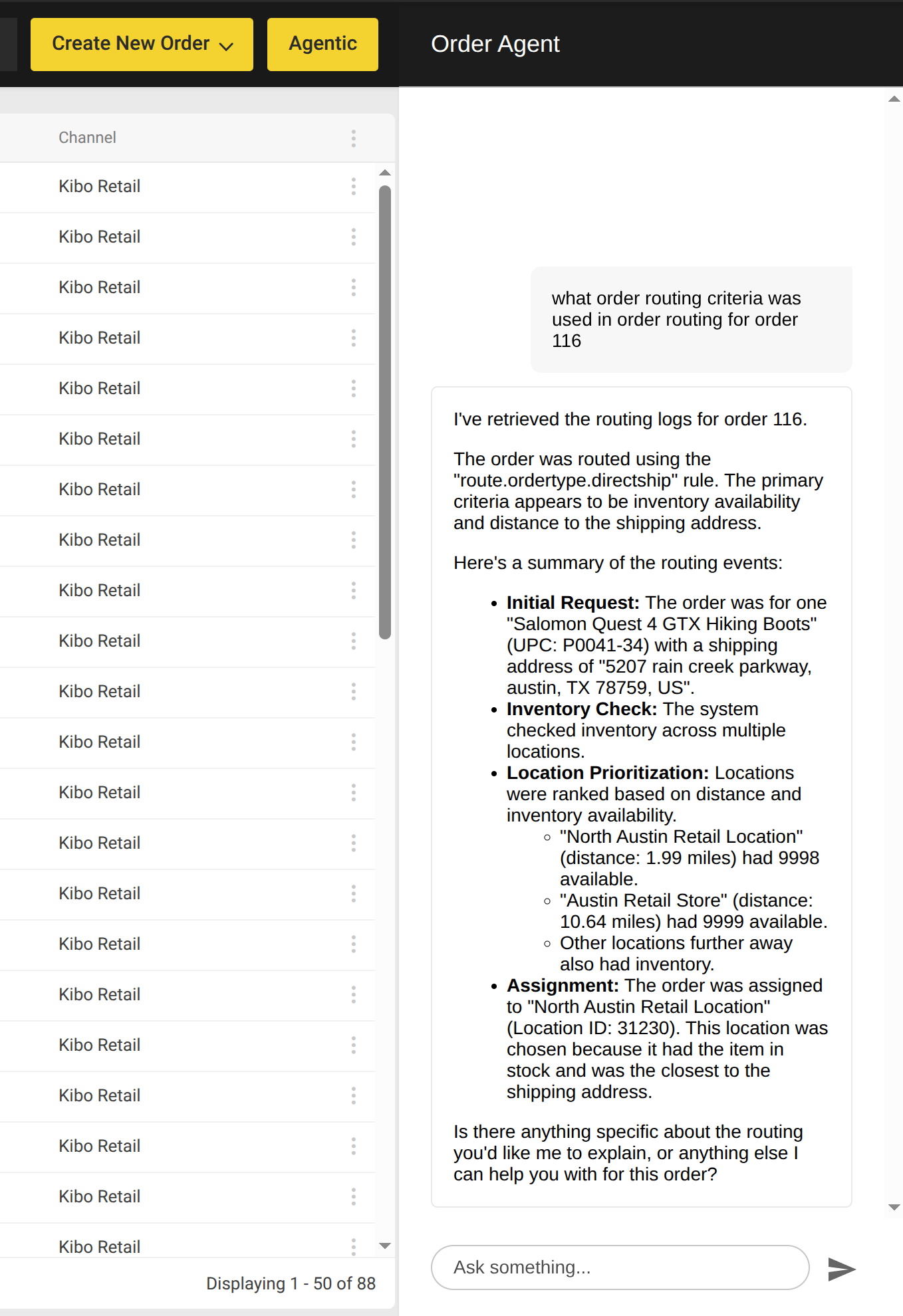
Accessing the Order Routing Agent
Required Permissions
To use the Order Routing Agent, you need:- Access to the Kibo Agent Admin application
- Order management permissions in your Kibo tenant
- Access to order routing logs and suggestion data
Getting Started
Starting a New Session
- Navigate to Orders within the Admin
- Click the Agentic button
- Type your question in the message box
- Press Enter or click the Send icon
Your First Question
Try a simple question to get started:Types of Questions
The Order Routing Agent understands various types of questions. Here are the main categories:1. Order Assignment and Location Questions
Understand why orders were assigned to specific fulfillment locations. Example questions:- “Why was shipment #12345 assigned to the Dallas warehouse?”
- “Why did this order go to Dallas instead of Houston?”
- “What location was selected for order ORD-98765?”
- “Which warehouse is fulfilling shipment SHP-11111?”
- “What criteria determined the primary fulfillment location?”
- “Was proximity to the customer a factor?”
- “How did inventory availability influence this decision?“
2. Alternative Location Questions
Learn why other fulfillment options were not selected. Example questions:- “Were there alternative locations considered for this order?”
- “Why wasn’t the Chicago warehouse chosen for shipment #12345?”
- “What other options were evaluated before selecting Dallas?”
- “Why was Houston rejected as a fulfillment location?”
- “What were the rejection reasons for each alternative?”
- “Was any location out of stock?”
- “Were there capacity constraints at other locations?“
3. Routing Logic and Rules Questions
Understand which business rules influenced the routing decision. Example questions:- “What routing rules were applied to this order?”
- “Which rule triggered the split of this order into two shipments?”
- “What was the sequence of rules evaluated for order ORD-98765?”
- “Were any custom rules applied to this shipment?”
- “Can you show me the decision path for this order?”
- “What data inputs were considered at each step?”
- “Were there any rule conflicts?“
4. Order Splitting Questions
Understand why orders were divided into multiple shipments. Example questions:- “Why was this order split into multiple shipments?”
- “What caused order ORD-98765 to be split into three packages?”
- “Why are these items shipping separately?”
- “What criteria determined the shipment groupings?”
- “Were items in different warehouses?”
- “Did product type affect the split?”
- “Were shipping speed requirements a factor?“
5. Consolidation Questions
Learn why items were grouped together. Example questions:- “Why were these items consolidated into a single shipment?”
- “What criteria allowed these products to ship together?”
- “Could this shipment have been consolidated with others?”
- “Were all items at the same fulfillment location?”
- “Did they share the same shipping method?”
- “Was there a consolidation rule applied?“
6. Troubleshooting Questions
Investigate routing errors or unexpected behavior. Example questions:- “Why did this order encounter a routing error?”
- “What caused the routing delay for shipment #12345?”
- “Why was no fulfillment location found for this order?”
- “What exception occurred during routing?”
- “What was the specific error message?”
- “How can this issue be resolved?”
- “Were there system issues at the time of routing?“
7. Audit and Data Questions
Access detailed logs and audit trails. Example questions:- “Show me the audit trail for order ORD-98765”
- “What data inputs were used for this routing decision?”
- “Can I see the detailed log for this shipment?”
- “What timestamps are recorded for this routing process?”
Data Sources
Suggestion Log
The primary data source for routing explanations is the Suggestion Log, which captures:- All routing decisions made by the system
- Rules evaluated and their outcomes
- Alternative locations considered
- Rejection reasons for non-selected options
- Timestamps for each step in the process