Available Properties
You can create product rules for the following product properties:- ProductCode
- ProductType
- Weight.Unit
- Weight.Value
- Length.Unit
- Length.Value
- Height.Unit
- Height.Value
- Category.Id
Create a Product Rule
To create a product rule:- Go to System > Settings > Shipping > Product Rules.
- Select the site you want to specify options for from the top bar.
- Click Create New Product Rule.
- Enter a Name.
- Enter a Description.
- Enter an Expression.
- Click Save.
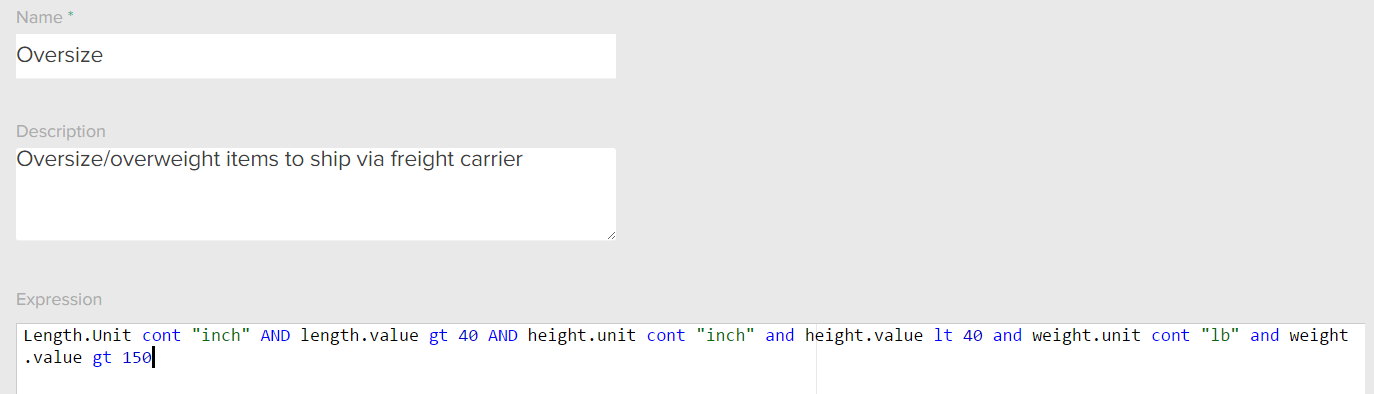
Product Rule Example
For example, you need to charge extra when shipping oversized sporting goods, such as canoes. You create the following product rule for large products: