Attribute List Value Order
When you add an attribute that has an input type of List, such as a property or an extra, to a product type, you must select all applicable list values for the product type. The order in which you place the list values in on the product type under the Selections section, controls the order that Kibo eCommerce displays the list values in on the product details page on your storefront.List Value Order Example
Refer to the following example for more information:-
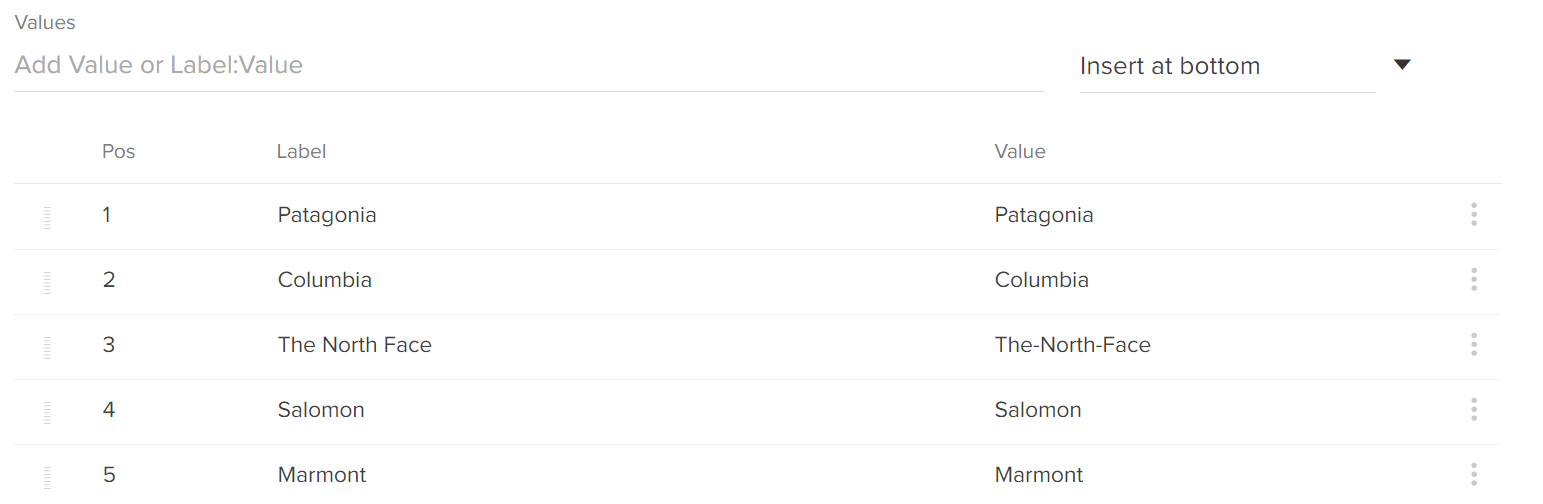
You create a Brand property and specify the following list values for this property:
-
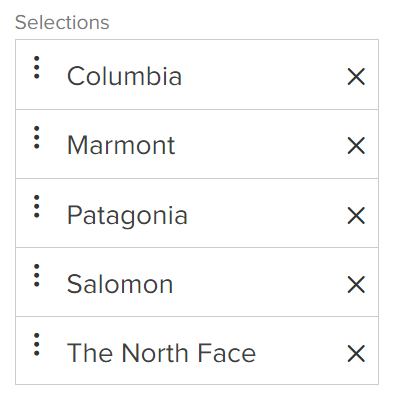
You then add this property to your Shirt product type, and place the list values in the following order under the Selections section:
-
Then, you create a new shirt product and specify two of these brands for the product:

-
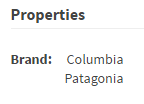
Regardless of the order you placed the values in when you created either the attribute or the product, Kibo eCommerce displays the values in the order they’re in on the product type on your storefront: