

 |
| Platforms: Legacy eCommerce, KCCP eCommerce and eCommerce+OMS |
System Features
- Tax calculation based on rules set in Vertex
Installation and Configuration
Install the App
For assistance installing the application, please reach out to your SI partner or Kibo’s professional services and enablement team.Configuration Requirements
To configure Vertex to work seamlessly with Kibo, you need specific items installed and settings provided. This guide details each step from requirements to final configuration for calculating taxes on orders. You must meet the following criteria to configure the Vertex application:- You must have the Vertex application installed on your tenant.
- You must have an active account with Vertex.
- You must create and configure your company information in the Vertex system.
Configure the App
To access the Vertex configuration options, go to System > Customization > Applications in Admin and select the Vertex application. Then, proceed with the below settings.Configure Account Settings
You will need to provide credentials from Vertex that include a company code, TrustedID (or username and password combination) and a tax endpoint URL.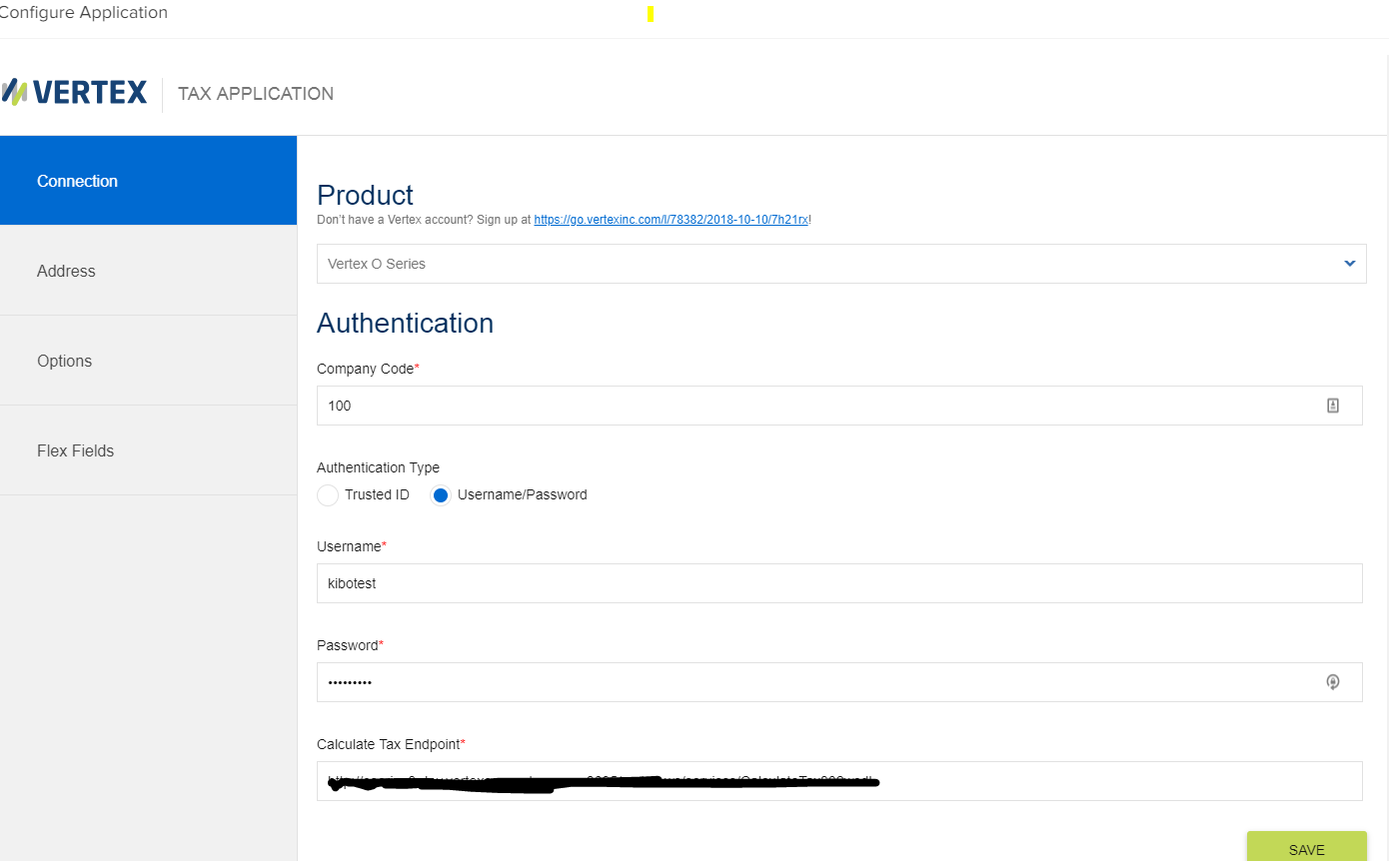
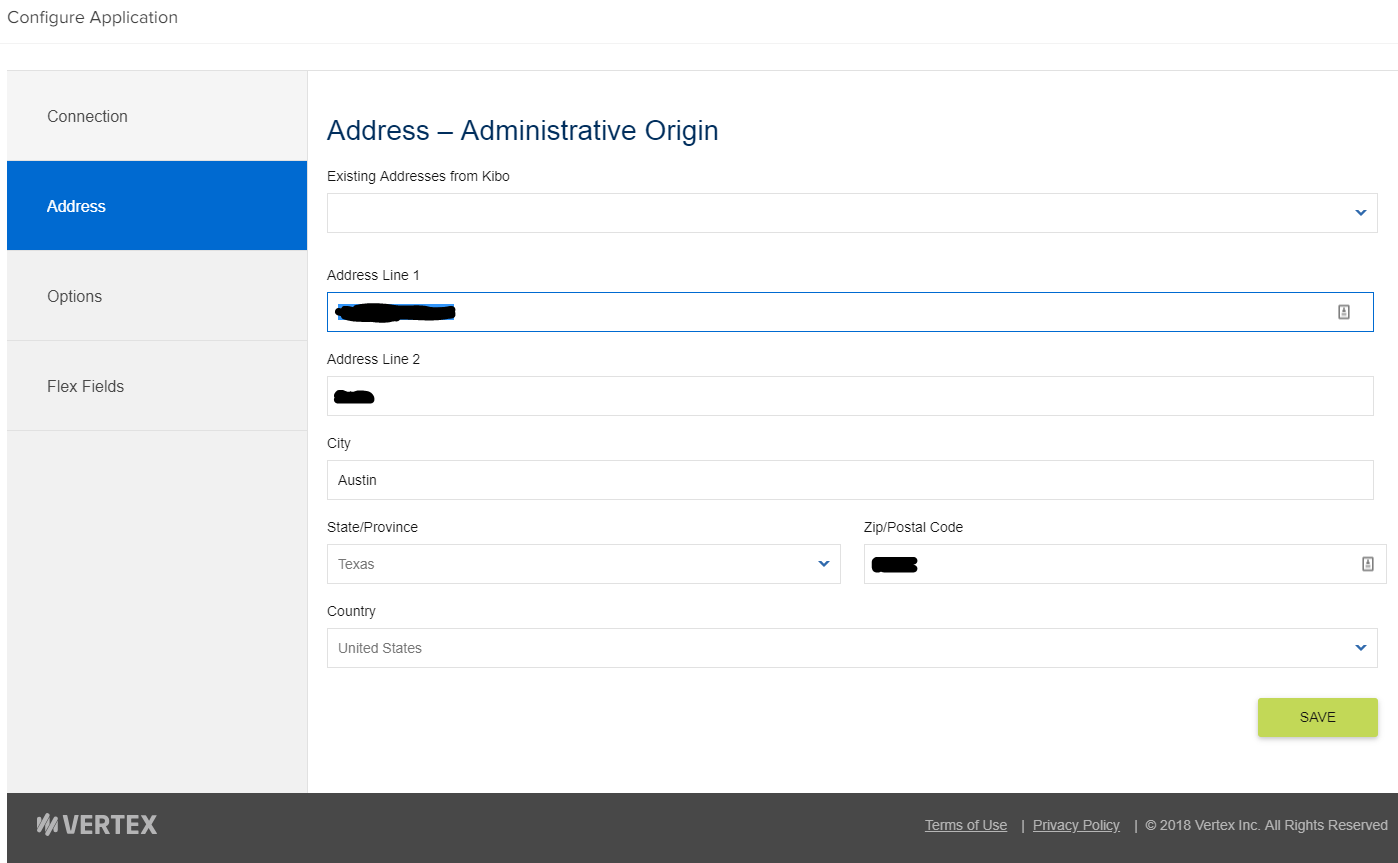
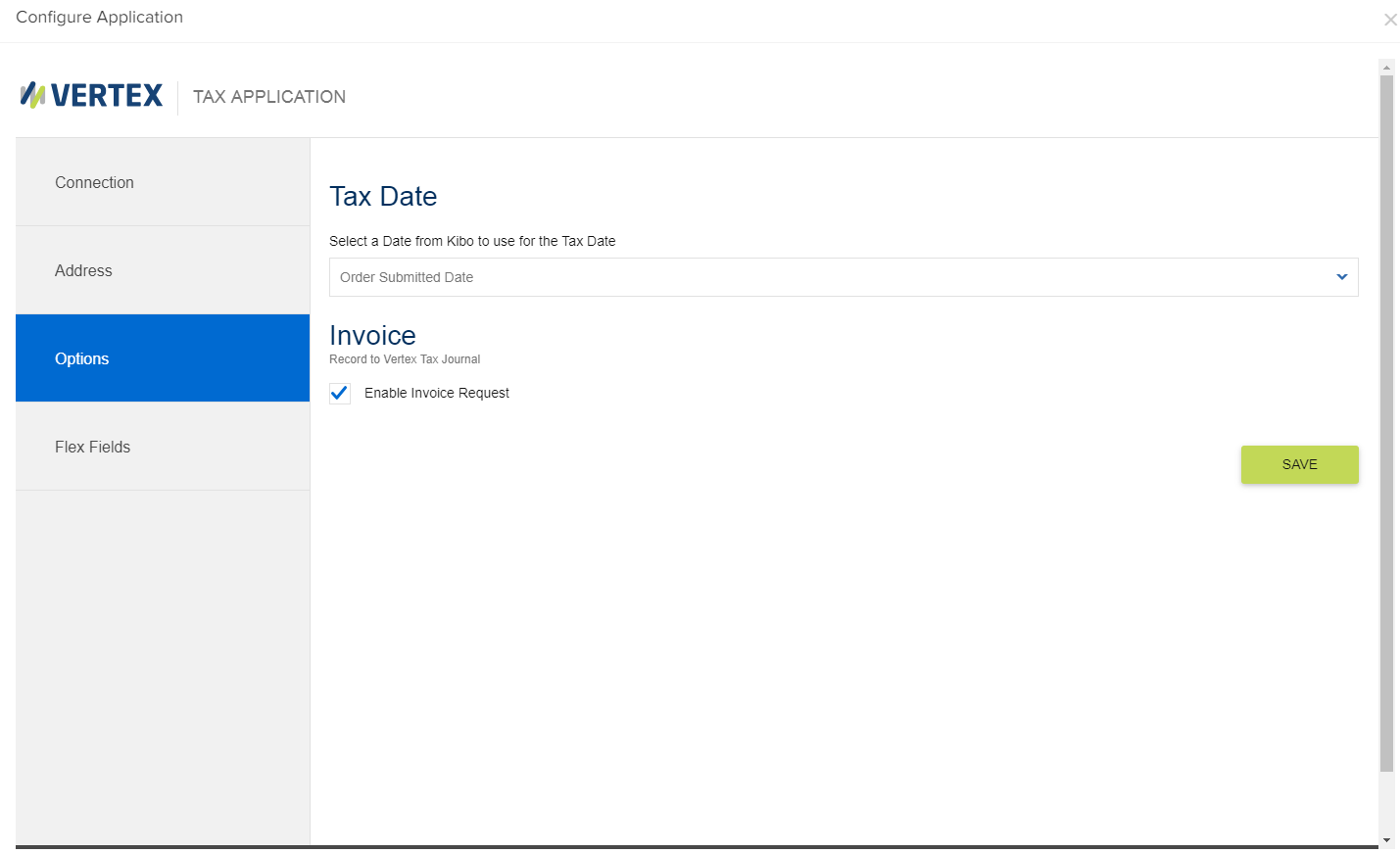
Configure Flex Field Attributes
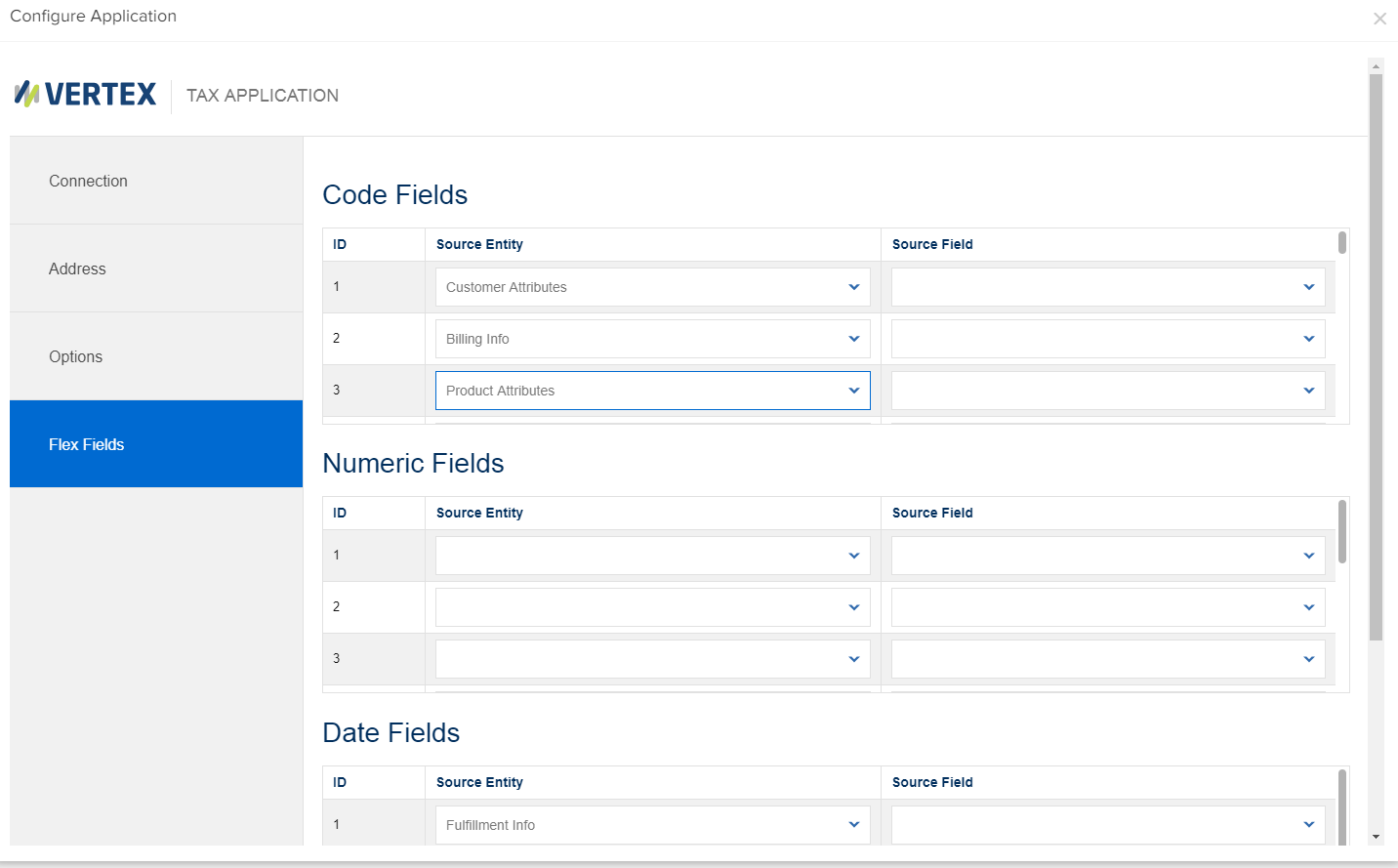
Flex Fields allow you to create complex rules for tax calculation by configuring parameter values. You can set fields based on customer attributes, order data, billing information, and other information. These field types can be strings, numbers, or dates. By default, when the app is installed, the below attributes are installed on the tenant:- Customer Attribute – Vertex Customer Code
- Customer Attribute – Vertex Customer Class
- Product Attribute – Vertex Product Class
Enable the App
To enable the application once it has been configured:- In Admin, go to System > Customization > Applications.
- Double-click Vertex.
- Click Enable App on the Vertex page.