

Creating a Term File
Search terms in the dictionary consist of up to three fields: suggestion, rank, and payload.- suggestion: A string of the search term to return as a suggestion. This term is case-insensitive. Matches can occur in any position of the suggestion. For example, if the user types “hammer,” then a term “claw hammer” can return as a match. This term is required.
- rank: A number that applies weighting to the suggestions. Suggestions with a greater rank value appear higher in the list of results. This term is optional.
- payload: A string that provides metadata. This metadata is returned as part of the suggestion results and can be used by your site in a custom manner. This term is optional.
Uploading a Term File
You can upload term files through either the API or the Admin UI.Uploading via API
You can upload a term file by specifying it with the following API call:Uploading via Admin
To upload a term file via the Admin UI:- Go to Main > Search > Schema.
- Click Upload Suggest File.
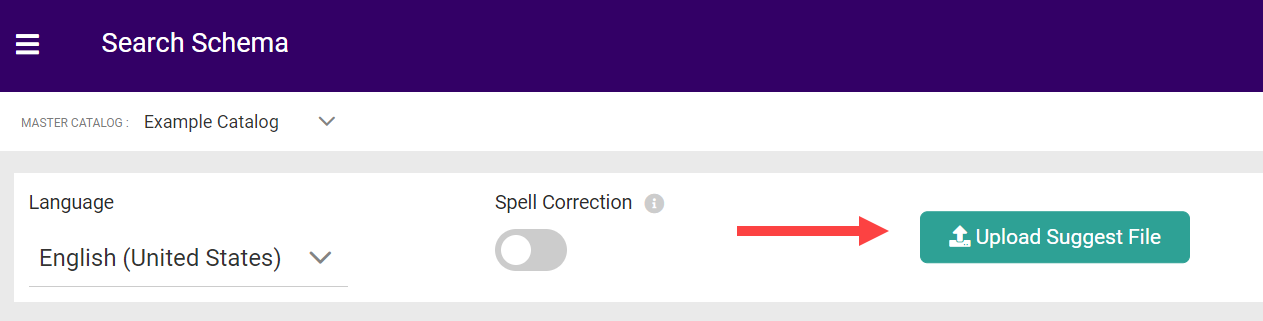
- Select the file from your computer and click Open.
- The file will then download.
Suggest API Calls
The suggest and suggest2 API calls return term-based search results. These results are returned assuggestionType “Term” under suggestions.
Here is an example of what is returned for the search term “wrench”:
Settings
Settings are stored alongside the term file. The following settings are available:- highlight: A boolean that specifies whether returned suggestions will have the matching term highlighted in bold. The default is true.
- allTermsRequired: A boolean that specifies whether all terms entered by the user must be in the suggestion for it to be returned. For example, if a user types “claw hammer,” then a suggestion of “hammer” will not be returned. The default is true.