Watch: Product Bundles
Learn how to create product bundles
Bundled Inventory
Bundles are a product type that group other products (bundle components) together. You cannot not track inventory on the bundle product itself, and instead you must track inventory on each separate bundle component. Kibo automatically calculates whether or not a bundle is in stock and purchasable depending on the stock level and out of stock options for each bundle component. For example, you sell an Action Bundle that is composed of one of each of the following components each with their own available quantities and if out of stock behaviors:
Kibo uses the component that has the least amount of available quantity to determine the total available quantity of the bundle. Using the above example, the available quantity of the Action Bundle is three, because there’s only three available quantities of the Action Jacket.
You can create a bundle that is composed of more than one of each bundle component, for example 2 Waterproof Cameras, 2 Action Jackets, but only one GPS Watch. As you set the required quantity for each bundle component, keep in mind the interaction this has with your available inventory.
Bundle Out of Stock Behavior
If a bundle component has an out of stock behavior of Hide Product in Store, but the bundle itself has an out of stock behavior of Show out of stock message, Kibo eCommerce will still display the component as part of the bundle, but shoppers cannot purchase the bundle. You can select the following If out of stock… behaviors for bundles: Show out of stock message, and Hide Product in Store. You cannot select Allow backordering because this is controlled at the component level.Product Extras Inventory
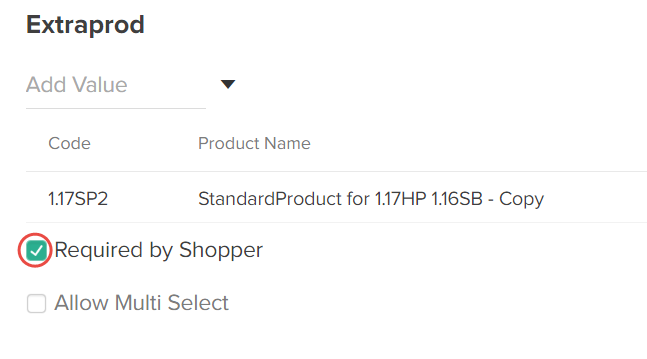
Extras are product attributes that you can offer in addition to the product. You can create an extra that is another product in your catalog, making it a product extra. When you track inventory on product and then assign the product as an extra, the product’s inventory quantities will still be affected when shoppers purchase the product as an extra. Refer to the Extra Attributes guide for more information about product extras. When you add a product extra to a product, you can specify whether the extra is Required by Shopper to complete their purchase: