

Validate Website
You must provide your merchant website details to Apple in order to validate your implementation of Apple Pay.- Log into your Apple Pay developer account.
- Go to Certificates, Identifiers and Profiles.
- Click on Merchant IDs.
- Select the Merchant ID for the URL that needs to be validated.
-
Go to the Merchant Domains section.
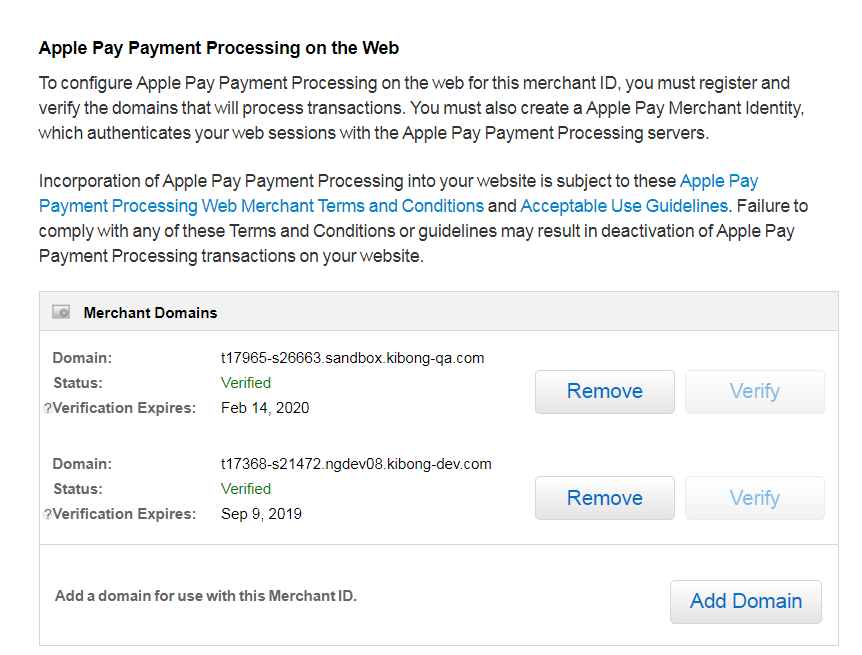
- Click Add Domain.
- Copy the sandbox or production URL and paste into the “Your domain name” field.
-
Download the
apple-developer-merchantid-domain-association.txt file - Log into your sandbox or production eCommerce instance.
- Go to Main > Content > Files.
-
Upload the
apple-developer-merchantid-domain-association.txtfile. -
After the file is uploaded, click on the menu option to get the URL.

-
Copy the URL from the CMS to end – ex :
cms/files/914bdca4-46b0-4684-a375-5c50e87c6f41 - Go to Main > Redirects.
-
Add a redirect and enable rewrite.
- Source:
.well-known/apple-developer-merchantid-domain-association.txt - Target:
cms/files/914bdca4-46b0-4684-a375-5c50e87c6f41
- Source:
- Go back to the Apple Developer account screen and click Verify.
Merchant Identity Certificate
This certificate identifies your merchant with Apple Pay and must be submitted in the Payment Gateway Settings menu of eCommerce.- Log into your Apple Pay developer account.
- Go to Certificates, Identifiers and Profiles.
-
Click on Merchant IDs.
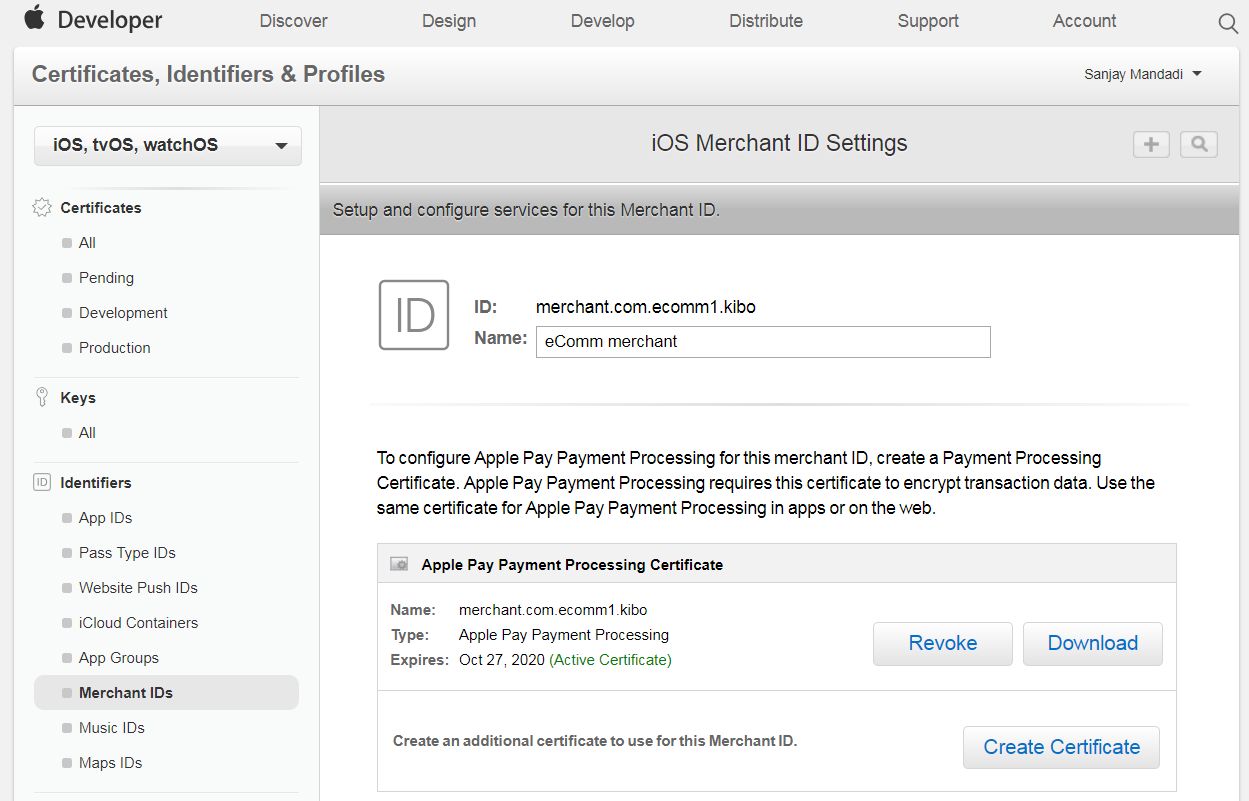
- Select the Merchant ID for the URL that needs to be validated.
-
Go to the Apple Pay Merchant Identity Certificate section.
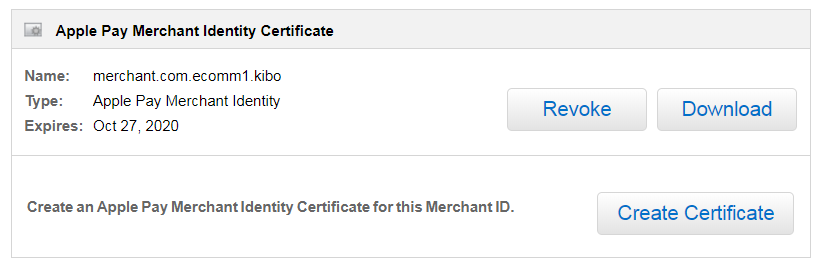
- Click on Create Certificate.
- Follow the instructions provide by Apple.
- Once the certificate is created, export the P12 or PFX file from the system.
- Convert the P12 or PFX to PEM form containing both a public and private key. You can choose to encrypt the private key with a password.
- Copy the contents of the PEM file to the Merchant Identity Certificate field on the Apple Pay Configuration screen.
- Enter the password if the private key is encrypted.
Apple Pay Processing Certificate
The Apple Pay Processing Certificate is also referred to as the “Decryption Certificate” in the Payment Gateway Settings menu of eCommerce. You may provide the certificate if you want eComm to decrypt the token and pass it to the processing gateway, but it is not necessary to provide when configuring the Apple Pay adapter.- Log into your Apple Pay developer account.
- Go to Certificates, Identifiers and Profiles.
- Click on Merchant IDs.
- Select the Merchant ID for the URL that needs to be validated.
-
Go to Apple Pay Payment Processing Certificate.
- Click on Create Certificate.
- If using a processing gateway such as Cybersource for processing the Apple Pay token, follow the steps provided by your processing gateway.
OMS-only with CyberSource: No additional configuration is required. The system receives an authorized token from Apple Pay and uses it directly for capture.