

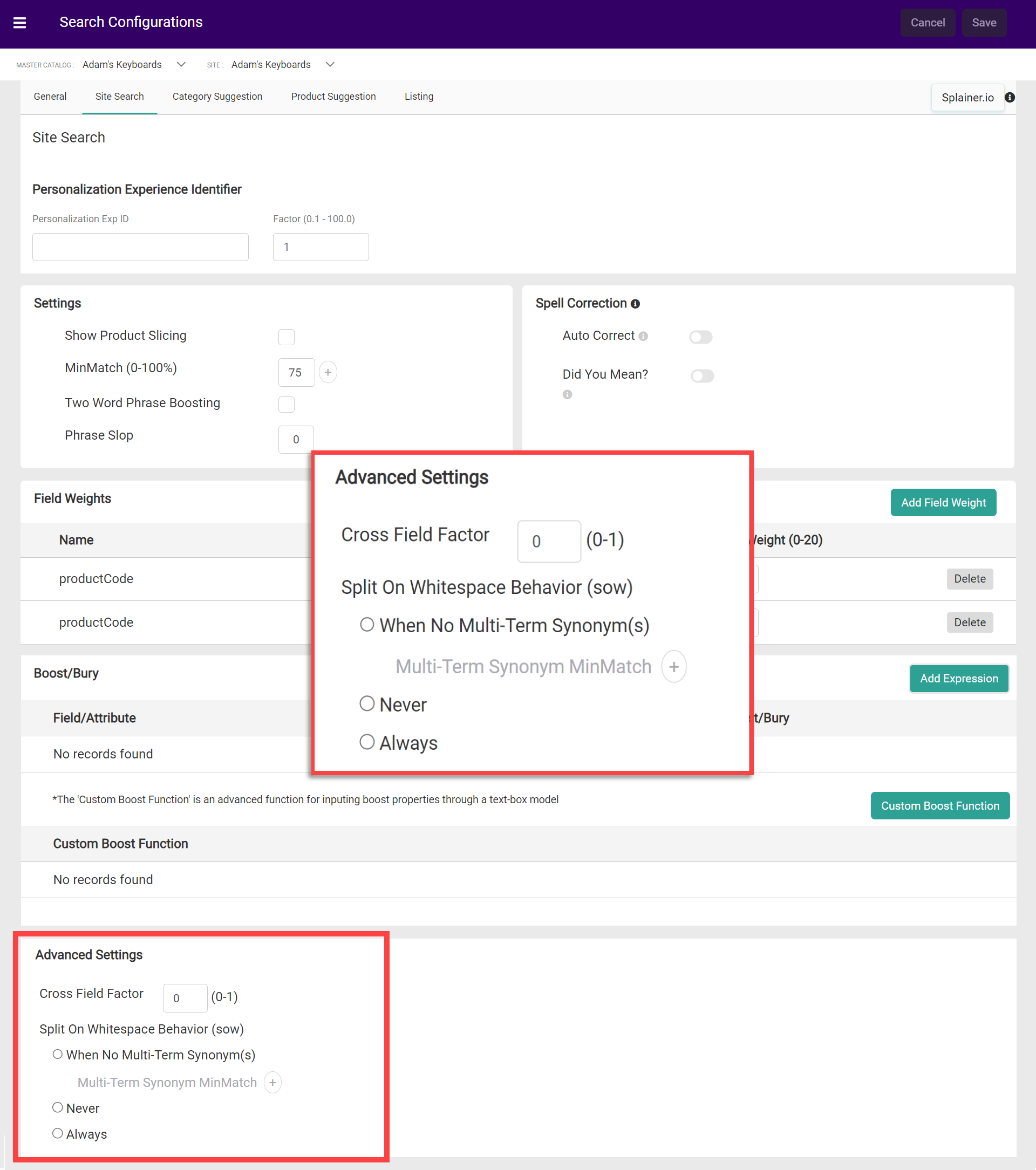
- Cross Field Factor: The degree to which the score is adjusted to sort exact vs multi-field matches. Any number between 0 and 1 may be entered, up to two decimal places.
- Split on Whitespace Behavior (SOW): Allows “term-centric” text analysis that is invoked separately for each whitespace-separated word. This means that the individual terms only need to exist across any given fields to be considered a match.
- When No Multi-Term Synonym: Utilize SOW analysis only when there are no multi-term synonyms defined. Any new search configurations that are created will be set to this option by default.
- If enabled, then you can add up to three values to the Multi-Term Synonym MinMatch field. To do so, click the Add icon and enter a number from 0 to 100. This will apply MinMatch behavior to multi-term scenarios.
- Never: Never utilize SOW analysis. The text analysis will be “field-centric”, where whitespace-separated sequences will be provided to text analysis as one term. This enables multi-word synonyms, but also means that one single field must contain all of the terms in order to be treated as a match.
- Always: Always utilize SOW analysis. This means that multi-term synonym expansion cannot take place, as the field analyzers will only look at individual terms instead of the entire query.
- When No Multi-Term Synonym: Utilize SOW analysis only when there are no multi-term synonyms defined. Any new search configurations that are created will be set to this option by default.
Whitespace Example
Example search term: “blue suede shoes” Example product with attributes:- color: “blue”
- material: “suede”
- product_name: “men’s high comfort casual shoes”