Use Cases
Discount that uses a Product Variant as Target Product
You have a product that comes in three colors, for example a pair of goggles that come in red, blue, and green. The green goggles have a bad sell-through rate and you would like to discount only that color and not the others. The listing price of the goggles is $50 and you want to give the green goggles a $10 discount. If a shopper:- Searches for those goggles, the application displays the goggles in the search results with a range of the highest known price and the lowest.
- Navigates to the category page with goggles, the goggles will appear in the listing and display a price range including the highest known price and the lowest (including the pricing of the variant after applying the discount).
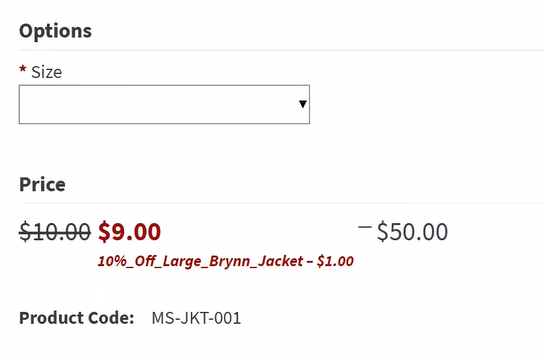
- Views the product on the product description page, the price will appear as the highest to lowest known price ($40-$50) until the product is resolved down to the variant. If green is the select variant, the price will display as $50 (crossed out) with $40 (the discounted price) to the right.
Discount that uses Product Variant in the Discount Conditions
You have a product that comes in multiple colors and you’re running a sale for St. Patrick’s Day where if a customer buys a green shirt, they will receive $10 off their entire order. Or, you want to give a customer a free gift card if they buy five of the blue t-shirts.Discount that uses Product Variant in Discount Conditions and Target Product
You set up a discount where the customer buys a pink dress and receives a pink belt for free.Variant Discount Using Faceting
The shopper goes to a search results page or a category listing page and applies a facet for a price range. The shopper sees the results based on the discounted price. For example, an eyeliner has five variations each priced at $10, and the blue one is $5 off. If the shopper facets their results for $5 and under, the application displays the blue eyeliner but excludes the other variants.Discount That Auto-Adds a Variant Product
Similar to the standard Auto-Add Free Product Discount, you want a variant of a product to be automatically added to a shopper’s cart when they meet certain criteria. For example, when the shopper purchases a hat then they can receive a free blue headband, but not a red headband of the same type. Possible auto-add discount cases include:- Buy One Get One discounts
- Promo Code discounts
- Discounts triggered by logic such as spending $100 across multiple categories to receive a free target product
Use Variant Discounts
Create a Product Variant Discount
To create a product variant:-
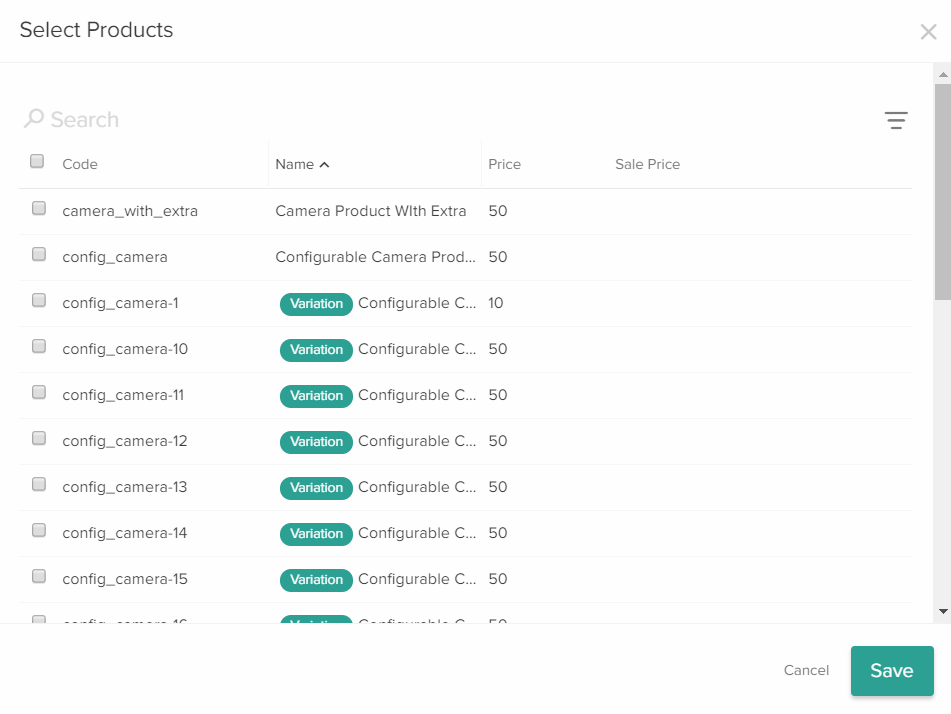
Click Add to the left of the Excluded Products, Required Item Purchase, or Products field. This displays the Select Products window.
-
In the search bar, type the code of the product variant that you want to select for the discount.
You can identify a product variant by the variation tag next to its name.
You can also select a product variant by entering the product variant code and in either the Excluded Products, Required Item Purchase, or Products fields to and selecting from the product drop-down menu.

- In the Required Item Purchase field, select the product variant that you want shoppers to buy to qualify for this discount.
- In the Quantity field to the left of the Required Item Purchase field, enter the quantity of this product variant that you want shoppers to buy.
- In the Products field of the Target Criteria section, select the product variant that you want this discount to target.
- In the Quantity field below the Target field, enter the quantity of this product variant that you want the discount to be applied to per redemption.
- In the Products field of the Target Criteria section, select the product variant that you want this discount to target.
- Click the Auto-Add option of the selected product.
View a Variant Discount on the Storefront
If you set a discount for a product variant and a shopper views the product page for the base product, Kibo eCommerce displays a range of prices and a message indicating the discounted variant by default.