

Approach 1: Using estimateTaxes API Extension
This approach is used after creating a new API extension application. The following steps set a tax response using the estimateTaxes API Extension:- Create a new API Extension Application. Refer to the API Extension document.
- Use the API Extension function.
- The Estimate Taxes (Before) file is shown in the following code block:
Approach 2: Using Tax Calculator Capability
This approach helps you to add tax calculator capability through the Kibo commerce application. The following steps add a tax calculator capability:- In Dev Center, navigate to Develop > Applications > Packages > Capabilities.
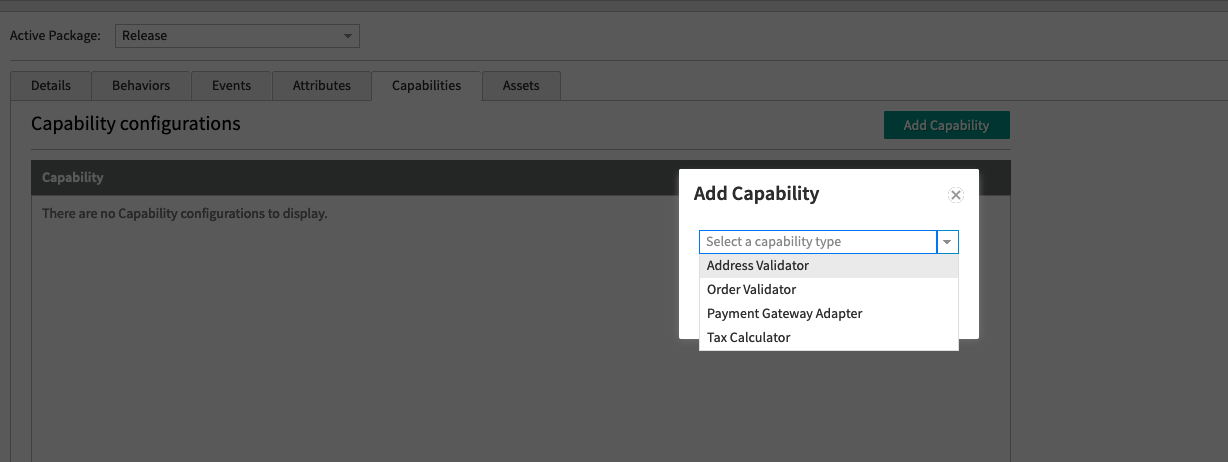
- Click Add Capability.
- Search for Tax Calculator in the Add Capability modal and click Ok.\
- Enter the external URL that receives the tax request and responds with the tax response. It will post to the URL directly and does not add any path.
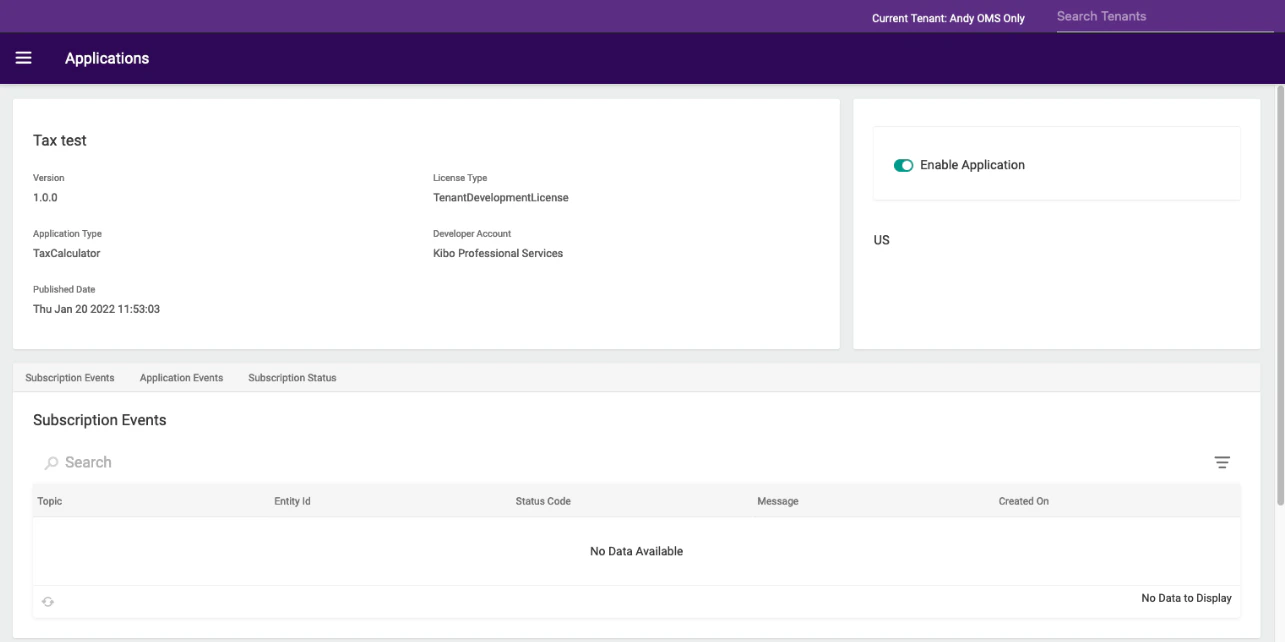
- Select the country you want to enable it for. Press the “Enabled” toggle to enable the calculator. It might take a minute to start working.\
Rest API Responses
This is what your endpoint will receive:Example: OrderTaxContext Response
This is what your endpoint should respond with:Example: Application
This just sends back dummy data for the specific order above, but it does work.Reading taxData Keys From an Order
When Kibo calculates tax, it splits the order into one or more taxable groups and records the result in the order’staxData object (a free-form JSON object also present on checkouts, quotes, shipments, subscriptions, and returns). The top-level keys of taxData are not fixed field names — they are generated from the fulfillment characteristics of the items in each group, so the same logical shipment can produce different keys depending on how the order is configured. Integrations that read a hardcoded key such as Ship_Warehouse will fail when that key changes shape.
How taxData Keys Are Composed
Each key is built by joining the following parts with underscores:When and Why the Shipping Method Suffix Is Appended
The_{ShippingMethodCode} suffix is appended only when at least one item on the order carries an item-level shipping method (for example, orders that use split shipping or per-item delivery options). In that case, each group’s key includes the shipping method code so that items shipped by different methods from the same location are tracked as separate taxable groups, since their shipping charges and tax differ.
If the order uses only a single order-level shipping method, no suffix is added — even though a shipping method exists on the order.
This is why a key can change from
Ship_Warehouse to Ship_Warehouse_EXPEDITE without any change to your integration: it reflects a change in how shipping methods are assigned to the order (for example, switching from order-level to item-level shipping, or introducing a new shipping method code), not a renamed platform field. The suffix value is always the shipping method code carried by the order’s items, so it varies by tenant and shipping configuration.
Handle Key Variations Defensively
Because the suffix can appear, disappear, or change value depending on the order, do not matchtaxData keys by exact string equality. Match by the stable prefix instead (fulfillment method and location), and degrade gracefully when no matching group is present rather than letting the action throw — an unhandled error in a downstream step (such as sending a confirmation email) can leave the order in an errored state even though it was placed successfully.
{FulfillmentMethod}_{FulfillmentLocationCode}_ prefix) rather than assuming a single fixed value. Iterating over all keys also lets you handle orders that split into multiple taxable groups, which is common once item-level shipping is in use.