

Looking for documentation access? This page covers the Commerce MCP Server for accessing your catalog, orders, and inventory data. If you want AI tools to access Kibo documentation, see Using Kibo Documentation with AI for the Documentation MCP Server.
Prerequisites
Before configuring the MCP Server, ensure you have:- Kibo Commerce tenant with API access
- Application credentials (Application Key and Client Secret) from Kibo Dev Center
- Claude Desktop, Cursor, or another MCP-compatible client
- Node.js 18+ (only required if using the MCP Inspector for debugging)
Getting Your Credentials
- Log into your Kibo Commerce Admin Console
- Navigate to System > Applications
- Create a new application or use an existing one
- Note the following values:
- Application Key (also called Client ID)
- Client Secret
- Tenant ID
- Site ID (if needed for site-scoped operations)
- API Host URL (e.g.,
https://t1000000.sb.usc1.gcp.kibocommerce.com)
MCP Server URL
The Kibo MCP Server is a hosted HTTP endpoint available on your Kibo Commerce tenant. The endpoint URL follows this pattern:With Tenant + Site ID
Include both the tenant and site identifiers when you need site-scoped operations:With Tenant Only
Omit the site identifier for tenant-level operations:Some API operations require a site context. If a tool call fails with a missing site error, switch to the tenant + site URL format.
Authorization Methods
Every request to the MCP endpoint must include anAuthorization header. The server supports two methods.
Method 1: Basic Authentication (Base64-Encoded Credentials)
Use your Application Key and Client Secret, separated by a colon and Base64-encoded, in a standard HTTP Basic auth header. Steps:- Obtain your Application Key and Client Secret from the Kibo Dev Center.
- Concatenate them with a colon separator:
- Base64-encode the result.
- Send the encoded value in the
Authorizationheader with theBasicscheme.
Method 2: JWT Bearer Token (Kibo API Auth)
This is the standard Kibo API authentication flow. You exchange your Application Key and Client Secret for a short-lived JWT access token using the Kibo OAuth endpoint, then pass that token as a Bearer credential. Steps:- Request an access token from the Kibo authentication endpoint:
With the request body:
- Extract the
access_tokenfrom the response. - Send the token in the
Authorizationheader with theBearerscheme.
Bearer tokens expire (typically in 1 hour). Your MCP client should handle token refresh automatically or re-authenticate when a
401 response is received.Client Configuration
Configure your MCP client to connect to the Kibo MCP Server hosted endpoint.Claude Desktop
Configuration File Location
Basic Configuration
Add the following to yourclaude_desktop_config.json, replacing the URL and authorization value with your own:
Multiple Environments
To connect to both sandbox and production environments:Cursor
Add the MCP server to your.cursor/mcp.json file:
Windsurf
Add the following to your~/.codeium/windsurf/mcp_config.json file:
VS Code with GitHub Copilot
Add the following to your VS Codesettings.json:
Filtering Tools by Category
By default, connecting to/mcp/admin/ exposes all registered tools (500+ operations). You can limit the tools returned to your MCP client by appending a comma-separated list of category names to the URL path.
Single Category
categories.read category.
Multiple Categories
categories.read and categories.update.
All Tools (Default)
Testing the Connection
After configuration, restart your AI client and test with a query:Using the MCP Inspector
The MCP Inspector is a visual debugging tool for interacting with MCP servers. It lets you discover tools, execute them, and inspect the request/response cycle.Quick Start
-
Launch the inspector against your Kibo MCP Server:
-
The inspector UI will open in your browser. From there you can:
- List Tools — view all tools exposed by the server
- Call a Tool — fill in parameters and execute a tool call
- View Responses — inspect the raw JSON returned by each tool
Configuring the URL
Enter your Kibo MCP Server URL in the inspector’s URL field: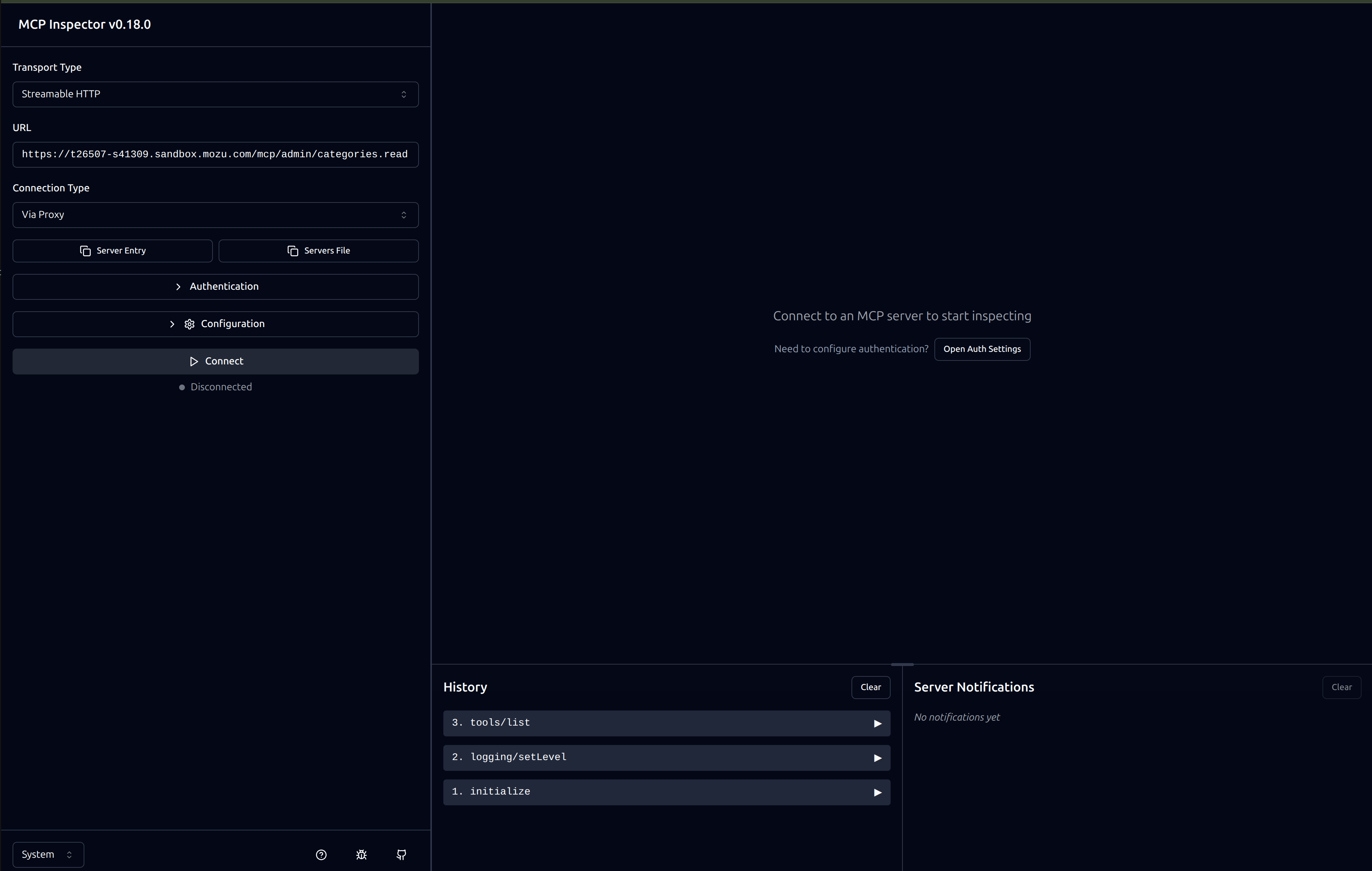
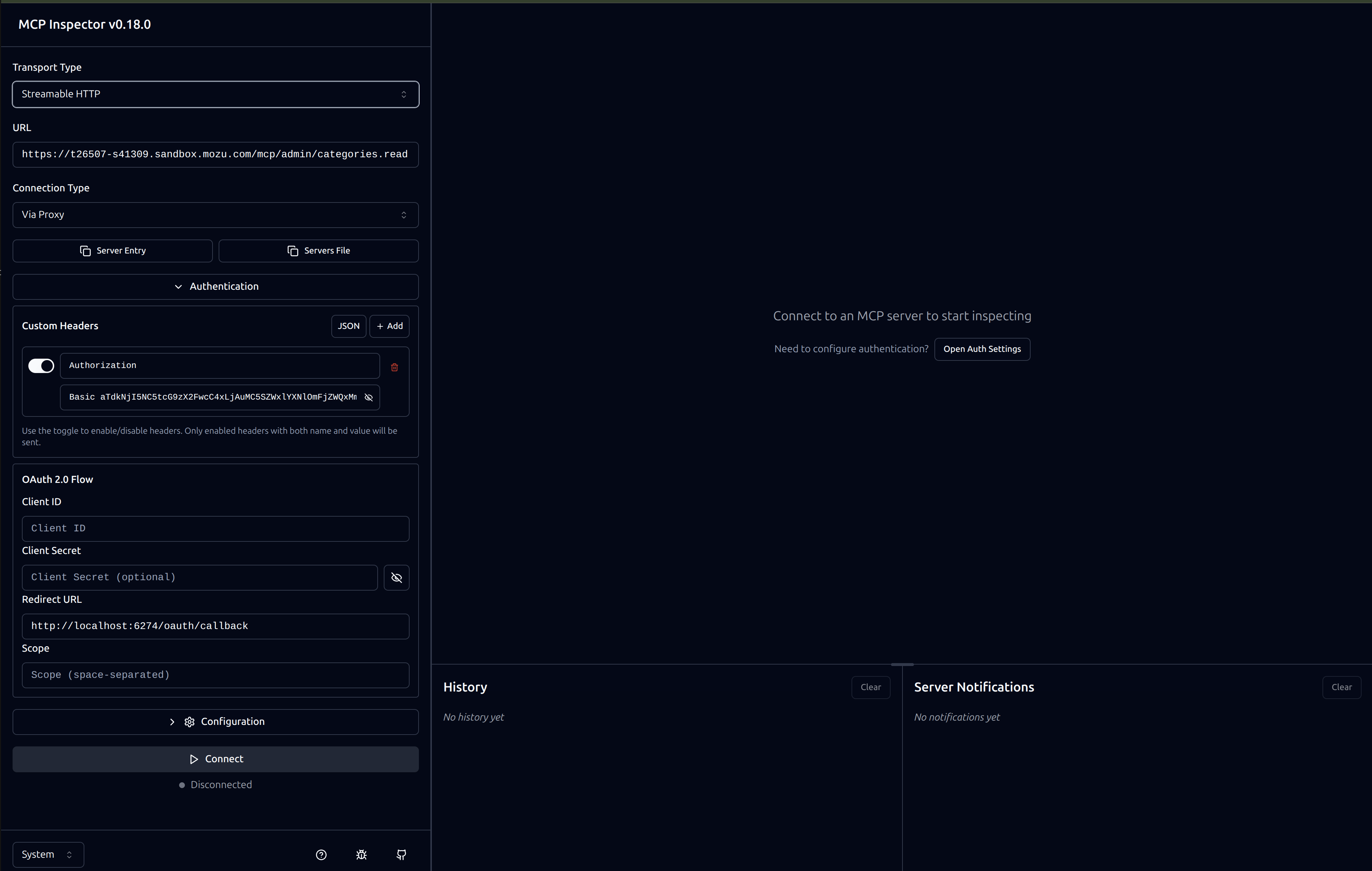
Adding Authorization
Provide theAuthorization header in the inspector’s Headers configuration section before initializing the session. Enter the header exactly as you would in an HTTP request:
Listing Tools
Once connected, use the List Tools button to see all available tools for the configured categories: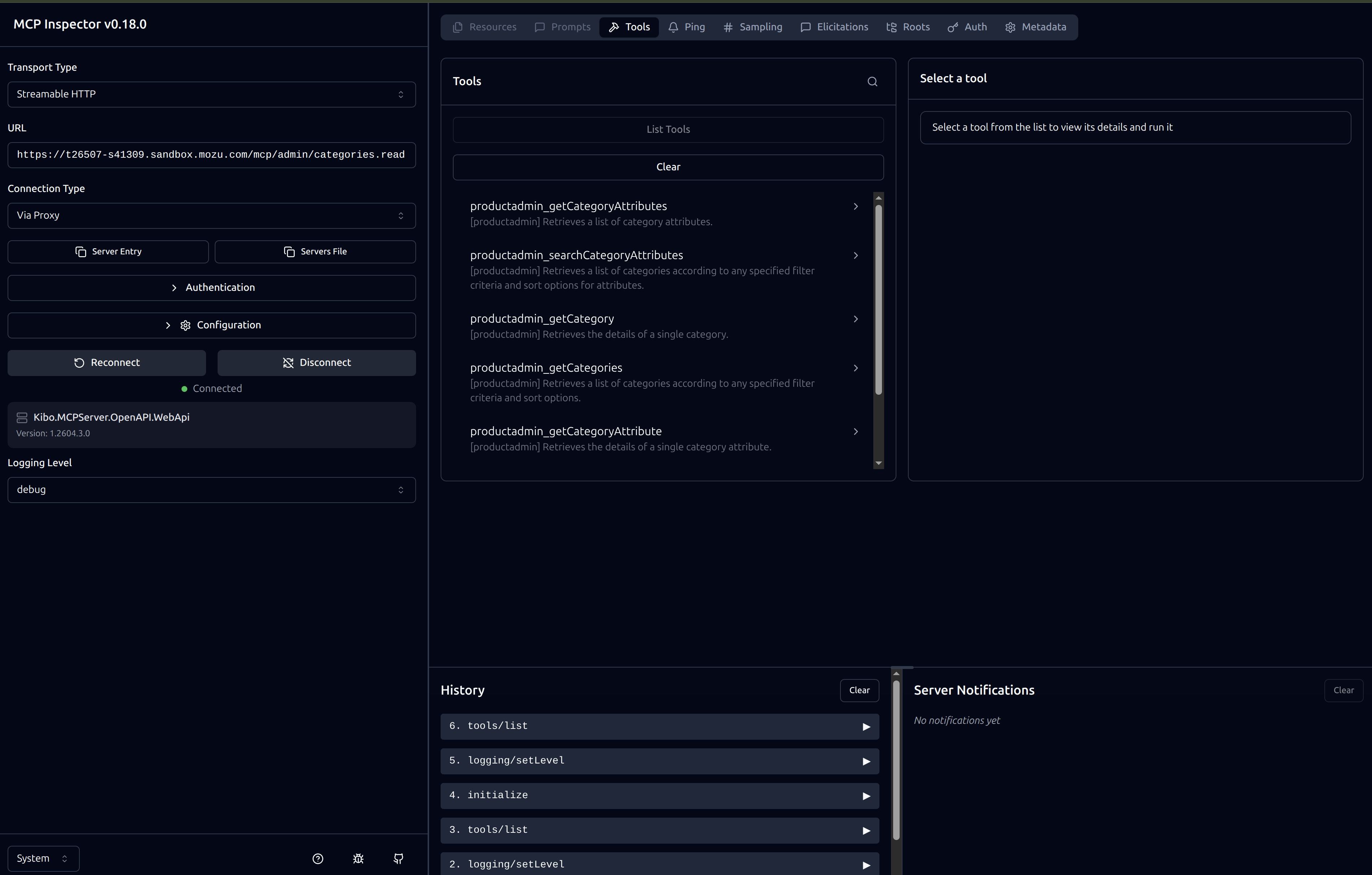
Available Tool Categories
Categories follow the naming convention{resource}.{operation}, where operation is one of create, read, update, or delete.
Commerce Runtime
Customer
Import / Export
Location
Pricing Runtime
Product Admin
Shipping Admin
Shipping Runtime
Site Settings
Subscription
Troubleshooting
Authentication Errors
401 Unauthorized- Verify your Application Key and Client Secret are correct
- If using Basic auth, check that the Base64 encoding is correct
- If using Bearer tokens, the token may have expired — request a new one
- Check that the application has required API permissions in Kibo Admin
- Confirm Tenant ID and Site ID match your environment
- Verify your application has access to the requested resources
- Check that your Site ID is correct for the operation
Network Errors
Connection Timeout- Check your internet connection
- Verify the API Host URL is accessible
- Check firewall or proxy settings
Missing Data
Empty Results- Verify data exists in your Kibo Commerce tenant
- Check that you are querying the correct site and catalog
- Try different search parameters
- If the error mentions a missing site context, switch to the tenant + site URL format