Hypr and HyprLive Syntax
Hypr and HyprLive share many syntax features, but differ in a few areas. Also, not all tags or filters are supported on both Hypr and HyprLive.Syntax Commonalities Between Hypr and HyprLive
Syntax Differences Between Hypr and HyprLive
Hypr and HyprLive support unique syntax for a small number of operations. Because existing themes might use these syntax features, Kibo eCommerce continues to support them, but whenever possible you should use a syntax that both rendering engines support.Index Lookup
Look up values within an indexed array.| Syntax Feature Recommended | first and last filters |
|---|---|
| Supported On | Hypr and HyprLive |
{{ model.items|first }} {# Access the first item in model.items #}To cache the result for further use, use a {% with model.items|first as firstitem %}
{{ firstitem.text }} {# Access the “text” property of the first item #}
{% endwith %}To look up a value at a specific index, use a {% for item in model.items}
{% if forloop.index == index %}
{{ item.text }}
{% endif %}
{% endfor %} | |
| Syntax Feature | Dot notation |
| Supported On | Hypr |
{{ model.items.0 }} {# Access the first item in model.items #} | |
| Syntax Feature | Brackets |
| Supported On | HyprLive |
{{ model.items[0] }} {# Access the first item in model.items #} | |
Filter Arguments
Specify a filter argument.| Syntax Feature Recommended | Parentheses |
|---|---|
| Supported On | Hypr and HyprLive |
{{ bigList|find(777) }} | |
| Syntax Feature | Colon |
| Supported On | Hypr |
{{ bigList|find:“777” }} | |
Supported Tags and Filters
Some tags and filters are supported on both Hypr and HyprLive, only on Hypr, or only on HyprLive.- View the list of supported tags.
- View the list of supported filters.
Hypr Tags
The following is the complete list of Hypr tags.all-scripts
Returns an array of scripts marked as required by therequire_script tag.
| Supported On | Hypr |
|---|
require function at or near the end of a top-level Hypr template’s rendered HTML content. Through the combination of the all_scripts and require_script tags, the RequireJS module loader loads all the scripts that a template and its subtemplates need. For example, the trailing-scripts.hypr template, included near the end of page.hypr (the base Hypr template that most pages on your site extend from), passes the list of all required scripts to RequireJS by calling the all_scripts tag in the require function:
autoescape
Useful for preventing cross-site scripting attacks, this tag converts special characters in every piece of content between the opening and closing tags into HTML entities, including the content of any subtemplates placed within the tags.| Supported On | Hypr, HyprLive |
|---|
{% autoescape on %} or {% autoescape off %}, and close, {% endautoescape %}.
safe filter.
block
Encloses content that overrides content in parent templates or defines content that child templates can override.| Supported On | Hypr, HyprLive |
|---|
{% block _name_ %}, and close, {% endblock _name_ %}. This tag takes one argument, a name, as a string without quotation marks.
If the name you provide this tag does not match any name for a block in a parent template, you create a section of content that templates extending the current template can override.
If the name you provide this tag matches the name of a block present in a parent template, the current block overrides the content from the parent template. However, you can use the tag {% parent %} to output content from the parent block within the current block.
cms-resources
Enables widget and dropzone functionality in the Content Editor.| Supported On | Hypr |
|---|
<head></head> tags.
comment
Ignores every line of code between{% comment %} and {% endcomment %}.
| Supported On | Hypr, HyprLive |
|---|
{# and #}.
dropzone
Renders an area (dropzone) in the Content Editor where Admin users can drag and drop widgets on a page.| Supported On | Hypr, HyprLive |
|---|
<div> tags that contain live widget content. You must declare dropzones in areas wider than 320 pixels, which is generally the smallest breakpoint in responsive designs. This tag takes two arguments, zoneId and scope.
The zoneId is required and must be unique across all templates on the site. It is a best practice to name the zoneId according to the location of the dropzone, such as footer-bottom-right.
The scope specifies the context for the dropzone:
- Use “page” scope to target a widget only to the page where the widget is added. If you omit the
scopeparameter, “page” scope is the default value. - Use “template” scope to target a widget to every page that uses the template to which the widget is added. This may not work on all sites, and it is recommended to use the page scope instead when possible.
- Use “site” scope to target a widget to all pages on the site.
dump
Displays a formatted view useful for debugging of all the properties belonging to the argument you specify in the tag.| Supported On | Hypr, HyprLive |
|---|
dump tags from a theme before releasing to a production environment.
extends
Specifies that the current template extends a parent template. Extended (or child) templates can access, display, and modify any content placed withinblock tags in the parent template.
| Supported On | Hypr, HyprLive |
|---|
extends tag in two ways:
{% extends "page" %} (with quotation marks) uses the literal value “page” as the filename of the parent template to extend. The tag applies the .hypr extension to the filename you provide and assumes the templates directory is the root folder for the path.
{% extends variable %} uses the value of variable as either the name of the parent template to extend (if it evaluates to a string) or as the parent template itself (if it evaluates to a template object).
Place the extends tag in the first line of a child template, and place all ensuing content in the child template inside block tags. Within the blocks you create in the child template, you can inherit or modify content from the parent template.
filter
Applies a Hypr filter(s) to the contents of the tag.| Supported On | Hypr, HyprLive |
|---|
{% filter _filter1_|_filter2_|_filter3_ ... %}, and close, {% endfilter %}. You provide the name of the filters you want to apply as arguments to the opening tag, separated by the pipe symbol ( | ) but without any spaces. Use this tag if you want to run a Hypr filter(s) on the outputs of a Hypr tag, which you can’t do using the standard filter syntax.
for
Loops over each item in an array.| Supported On | Hypr, HyprLive |
|---|
{% for _item_ in _list_ %}, and close, {% endfor %}. The tag takes two arguments: an array to iterate through and a variable name for the items in the array. For example, to access the name property for each athlete in the array athlete_list:
{% for _item_ in _list_ reversed %}.
The following variables are available within the scope of thefor tag to assist with operations related to the current iteration of the loop.
header_content
Outputs the contents from the Additional Header Tags section of the Page Settings found in the Content Editor, without processing or escaping the content (so HTML tags are expressed as HTML tags).| Supported On | Hypr |
|---|
page.hypr, which is the base template that most other templates inherit from, the header_content tag is located at the end of the <head></head> section.
if
Evaluates the contents in the tag if the argument is true.| Supported On | Hypr, HyprLive |
|---|
{% if _something_ %} and close, {% endif %}. You can complement the if tag with the else tag to provide logic to handle times when the argument is false.
if tags.
{% if items.length > 3 and flag == false or items.price >= 50 %}, Hypr evaluates the components of the if tag in the following order. By the time Hypr evaluates the or operator, it has already evaluated the other components needed to determine if the statement is true or false.
{% if items.length> 3 and flag == false or items.price >= 50 %}{% if items.length> 3 and flag == false or items.price >= 50 %}{% if items.length> 3 and flag == false or items.price >= 50 %}{% if items.length > 3and flag == false or items.price >= 50 %}{% if items.length > 3and flag == false or items.price >= 50 %}{% if items.length > 3 and flag == falseor items.price >= 50 %}
include
Loads and renders an external template within the current template.| Supported On | Hypr, HyprLive |
|---|
include tag enables you to split your code into manageable pieces organized across separate templates.
{% include "modules/web-fonts-loader" %} (with quotation marks) uses the literal value "modules/web-fonts-loader" as the filename of the template to include. The tag applies the .hypr extension to the filename you provide and assumes the templates directory is the root folder for the path.
{% include variable %} uses the value of variable as either the name of the template to include (if it evaluates to a string) or as the template itself (if it evaluates to a template object).
This tag evaluates included templates with the same variables available to the parent template. However, you can pass additional variables to the included template scope manually by using name-value pairs within the tag. You can assign these variables any value of your choosing. For example:
model variable is assigned the value of the billingAddress variable available from the current model and the showAddressType variable is assigned the value false.
include_documents
Retrieves a document(s) from the CMS using inline API calls and adds the returned document(s) to the page model of the specified template.| Supported On | Hypr |
|---|
include tag but instead of setting the model manually or using the same model available to the parent template, the include_documents tag adds a collection of documents to the model of the specified template based on the document list, view, and any additional query arguments you specify.
As its first argument, this tag takes the name of a template (or alternatively, the template object itself) to whose model the document(s) should be added. As its second argument, this tag requires the fully qualified name of the document list that contains the document(s) to be returned. As its third argument, this tag requires the name of the view to apply to the document list. The full syntax looks like:
{% include_documents "_templateName_" listFQN="_name_@_namespace_" view="_viewName_" %}
You can use the following arguments with this tag.
templates/pages directory; if the template is located in a folder other than pages, specify the path starting after templates (for example, if the template is in the templates/modules directory, specify modules/templateName as the argument for the template name).
This argument is required and must be in the first position.
|
| listFQN |
The fully qualified name of the document list.
This argument is required and must be in the second position.
|
| view |
The name of the document list view that determines which document properties can be accessed.
This argument is required. If you don’t specify a view, Kibo eCommerce assumes the name of the view is default. Many document lists do not contain a view named default, so it is recommended you always specify a view for this tag; otherwise, the API call may not return any data.
|
| pageWithUrl |
Default: false.
Specifies whether to use URL parameters for paging results.
When false, you must specify the startIndex and pageSize parameters as arguments in the tag.
If you set this argument to true, you specify the tag to use the existing values for startIndex and pageSize available from the URL parameters.
|
| sortWithUrl |
Default: false.
Specifies whether to use URL parameters for sorting results.
If you set this argument to true, you specify the tag to sort using the existing value of the sortBy URL parameter (either asc or desc).
|
| startIndex |
Default: 0
The item on which to begin listing items in the collection. Kibo eCommerce collections are zero-indexed, so startIndex=0 starts at the first item in the collection.
|
| pageSize |
Default: 15
The maximum number of items to return in the model.
Note: Setting this number too high may result in poor performance and a cumbersome UI experience. |
| filter |
A filter expression for Kibo eCommerce collections. You can filter documents based on their properties by writing a string expression as your argument. For example: firstname eq "Brenda".
|
| query | A deprecated alias for filter. If both the filter and query arguments are present, query takes overrides filter. |
| sort |
Default: null
A string representing how to sort the collection. You can sort on any property, date (such as createDate), or document name. After specifying the name of the property you are sorting on, include a space followed by “asc” or “desc” to specify sorting in ascending or descending order.
|
| ids |
Default: null
A comma-separated list of individual document IDs. If you include this argument, Kibo eCommerce ignores the filter argument and the result set consists only of the documents whose IDs you provide.
|
| useActiveDateRange |
Default: false.
If you set this argument to true, you specify the tag to use the existing active date range information present in the URL.
|
include_entities
Retrieves an entity(s) using inline API calls and adds the returned entity(s) to the page model of the specified template.| Supported On | Hypr |
|---|
include tag but instead of setting the model manually or using the same model available to the parent template, the include_entities tag adds a collection of entities to the model of the specified template based on the entity list, view, and any additional query arguments you specify.
As its first argument, this tag takes the name of a template (or alternatively, the template object itself) to whose model the entity(s) should be added. As its second argument, this tag requires the fully qualified name of the entity list that contains the entity(s) to be returned. As its third argument, this tag requires the name of the view to apply to the entity list. The full syntax looks like:
{% include_entities "_templateName_" listFQN="_name_@_namespace_" view="_viewName_" %}
You can use the following arguments with this tag.
templates/pages directory; if the template is located in a folder other than pages, specify the path starting after templates (for example, if the template is in the templates/modules directory, specify modules/templateName as the argument for the template name).
This argument is required and must be in the first position.
|
| listFQN |
The fully qualified name of the entity list.
This argument is required and must be in the second position.
|
| view |
The name of the entity list view that determines which document properties can be accessed.
This argument is required. If you don’t specify a view, Kibo eCommerce assumes the name of the view is default. Many entity lists do not contain a view named default, so it is recommended you always specify a view for this tag; otherwise, the API call may not return any data.
|
| pageWithUrl |
Default: false.
Specifies whether to use URL parameters for paging results.
When false, you must specify the startIndex and pageSize parameters as arguments in the tag.
If you set this argument to true, you specify the tag to use the existing values for startIndex and pageSize available from the URL parameters.
|
| sortWithUrl |
Default: false.
Specifies whether to use URL parameters for sorting results.
If you set this argument to true, you specify the tag to sort using the existing value of the sortBy URL parameter (either asc or desc).
|
| startIndex |
Default: 0
The item on which to begin listing items in the collection. Kibo eCommerce collections are zero-indexed, so startIndex=0 starts at the first item in the collection.
|
| pageSize |
Default: 15
The maximum number of items to return in the model.
Note: Setting this number too high may result in poor performance and a cumbersome UI experience. |
| filter |
A filter expression for Kibo eCommerce collections. You can filter entities based on their properties by writing a string expression as your argument. For example: firstname eq "Brenda".
|
| query | A deprecated alias for filter. If both the filter and query arguments are present, query takes overrides filter. |
| sort |
Default: null
A string representing how to sort the collection. You can sort on any property, date (such as createDate), or entity name. After specifying the name of the property you are sorting on, include a space followed by “asc” or “desc” to specify sorting in ascending or descending order.
|
| ids |
Default: null
A comma-separated list of individual entity IDs. If you include this argument, Kibo eCommerce ignores the filter argument and the result set consists only of the entities whose IDs you provide.
|
include_products
Retrieves a product(s) using inline API calls and adds the returned product(s) to the page model of the specified template.| Supported On | Hypr |
|---|
include tag but instead of setting the model manually or using the same model available to the parent template, the include_products tag adds a collection of products to the model of the specified template based on the arguments you specify in the tag.
As its first argument, this tag takes the name of a template (or alternatively, the template object itself) to whose model the product(s) should be added, based on the results of the other tag arguments.
{% include_products "_templateName_ with argument1=value1 and argument2=value2 as_parameter %}
You can use the following arguments with this tag.
templates/pages directory; if the template is located in a folder other than pages, specify the path starting after templates (for example, if the template is in the templates/modules directory, specify modules/templateName as the argument for the template name).
This argument is required and must be in the first position.
|
| filter |
Default: “categoryId req category ID of the current category page, if it exists”
A filter expression for Kibo eCommerce collections. You can filter products based on their properties by writing a string expression as your argument. For example: firstname eq "Brenda".
If you place theinclude_products tag on a Kibo eCommerce category template, then the default filter will be categoryId req [_current category id_]. For example, if the current category ID is 33, then the default filter will be categoryId req 33. This filter will automatically limit the displayed products to those belonging to the current category or any of its subcategories. You can override this behavior by supplying your own filter argument. If you place the include_products tag on a template other than a category template, then there is no default filter argument. If there is no filter argument then the first page of results from all products in the site will be displayed.
|
| query | A deprecated alias for filter. If both the filter and query arguments are present, query takes overrides filter. |
| pageWithUrl |
Default: false
Specifies whether to use URL parameters for paging results.
When false, you must specify the startIndex and pageSize parameters as arguments in the tag.
If you set this argument to true, you specify the tag to use the existing values for startIndex and pageSize available from the URL parameters.
|
| sortWithUrl |
Default: false
Specifies whether to use URL parameters for sorting results.
If you set this argument to true, you specify the tag to sort using the existing value of the sortBy URL parameter (either asc or desc).
|
| startIndex |
Default: 0
The item on which to begin listing items in the collection. Kibo eCommerce collections are zero-indexed, so startIndex=0 starts at the first item in the collection.
|
| suppressErrors |
Default: false
Prior to September 2016, the include_products tag suppressed errors related to product search, but this behavior changed in September 2016. In general, you should not have to enable this parameter, but if you want to make absolutely sure that errors on supplemental calls to the include_products tag do not obscure primary page content, you can set this parameter to true. For example, you can set the parameter to true when you display related products on a product details page to ensure that intermittent search errors on the related products call do not prevent the entire product details page from loading.
Note: If you use enable this parameter and the include_products tag is located inside a partial_cache tag, then any error that occurs causes the page to cache as a blank page. The page will continue to display to shoppers as a blank page until the cache clears. |
| pageSize |
Default: 15
The maximum number of items to return in the model.
Note: Setting this number too high may result in poor performance and a cumbersome UI experience. |
| searchQuery | A search term to search on for the product results. |
| sort |
Default: null
A string representing how to sort the collection. You can sort on any property, date (such as createDate), or document name. After specifying the name of the property you are sorting on, include a space followed by “asc” or “desc” to specify sorting in ascending or descending order.
|
| includeFacets |
Default: false
Specifies whether facets should be returned with the products.
|
| productCodes |
Default: null
Provides a shortcut for building the filter argument with multiple products. This argument accepts a string that specifies a comma-separated list of product codes . For example, productCodes=“Product01,Product02,Product03” is an equivalent shorthand syntax to filter=“ProductCode eq Product01 or ProductCode eq Product02 or ProductCode eq Product03”.
If present, this argument overrides the filter argument.
|
| facetHierDepth |
Default: 2
If filtering using category facets in a hierarchy, the number of category hierarchy levels to return for the facet. This option is only available for category facets.
|
| responseFields |
Default: null
A list or array of fields returned for a call. These fields may be customized and may be used for various types of data calls in Kibo eCommerce. For example, responseFields are returned for retrieving or updating specific attributes, carts, and messages in Kibo eCommerce rather than the whole object.
To learn more about this field, refer to the Response Fields topic.
|
| facet |
Default: null
Individually list the facet fields you want to display in a web storefront product search.
|
| searchTuningRuleCode |
Default: null
The unique identifier of the search tuning rule.
|
| enableSearchTuningRules |
Default: null
Enables search tuning rules.
|
| searchTuningRuleContext |
Default: null
The category ID that the search tuning rule applies to.
|
| facetTemplateExclude |
Default: null
A comma-separated list of the facets you want to exclude.
|
| facetCategoryId |
Default: null
The unique identifier of a category for use in faceting.
|
| categoryId |
Default: pageContext.CategoryId
This parameter is used as the default value for the facetTemplate, facetHierValue, and searchTuningRuleContext parameters.
If the productCodes or filter parameters are not set, this parameter sets the filter parameter to “categoryId req [value]”
|
| categoryCode |
Default: null
An alternative to categoryId. You can use this parameter to specify a category code instead of a category ID.
|
| facetCategoryCode |
Default: null
Overrides the use of categoryId for the facetTemplate and facetHierValue parameters.
|
| facetPrefix |
Default: null
Filters facet values by a prefix. The syntax is facetPrefix="_facetName_:_prefix_", and you must also specify either facet or includeFacets as a separate parameter.
For example, to filter a brand entry facet by facet values that start with “2016”, specify the following in the include_products parameter list:
facet="tenant~brandentry" and facetPrefix="tenant~brandentry:2016"
To set a prefix for more than one facet, separate the values with commas. For example:
includeFacets=themeSettings.showCategoryFacets and facetPrefix="tenant~color:b, tenant~size:s"
|
inline_style
Outputs the contents of a stylesheet as raw CSS.| Supported On | Hypr |
|---|
<style> tags. This tag takes the name of a stylesheet in your theme (such as "storefront.less" or "email.less") as its argument.
This tag is designed to support older email readers that cannot load and render external stylesheets.
json_attribute
Encodes an object using HTML attribute encoding.| Supported On | Hypr |
|---|
make_url
Generates a string that helps construct URLs for different Hypr objects, such as images or category models.| Supported On | Hypr, HyprLive |
|---|
{% make_url "_mode_" _objectModel_ %}
The mode is how you specify what type of URL you are constructing. Depending on which mode you select, you pass in different objects and optional parameters. The modes for this tag are:
The result of the tag is a string that helps construct the URL in question. Depending on the mode, the URL may be scheme-relative (a relative URL that uses the current protocol, such as https: or http:, as its base) or domain-relative (a relative URL that uses the domain, such as http://www.yourSite.com/, as its base). For some modes, such as "image", the resulting string appends a cache key value, which is a random number that is updated every time someone busts the cache through the Admin General Settings.
Delete
If you set up custom routes for your site, the results of the make_url tag as listed in the examples of this topic likely won’t match your custom URLs. However, the make_url tag accounts for custom route changes and outputs a modified string according to the code you set up in the Custom Routing JSON Editor, so there is no need for further action on your part.
|
image
| | --- | | The"image" mode generates a path to the CDN location for the specified image model. You can add image fields to the URL, such as size and quality fields, by including the parameters between the keywords with and as_parameter at the end of the tag.
Cache key appended to result? Yes
Type of URL: Scheme-relative
|
Example:
make_url tag on an image hosted on the Kibo eCommerce CDN, you can include the following additional fields at the end of the tag, between with and as_parameter:
To avoid incorrect image rendering, do not apply the image manipulation fields to images that contain a dimension greater than 30,000 pixels in length.
crop="10,10,10,10" removes 10 pixels from all edges of the image (crop="0,0,0,0" leaves the image uncropped).
You can also use this field to specify a subset of the image. For example, crop="150,300,150,300". The only thing to remember is that you must always specify x2 to the right of x1 and y2 to the bottom of y1, otherwise no cropping takes effect.
|
| quality | Adjusts the image compression for JPEG files (other image types do not support this field). Accepts values from 0-100, where 100 = highest quality, least compression. |
|
product
| | --- | | The"product" mode generates a path to a product page based on a product model, product code, or product ID. You can also specify a variant for a configurable product using the variant parameter.
Cache key appended to result? No
Type of URL: Domain-relative
|
Example:
category
| | --- | | The"category" mode generates a path to a category page based on a category model, category code, or category ID.
Cache key appended to result? No
Type of URL: Domain-relative
|
Example:
sorting
| | --- | | The"sorting" mode generates a path to a sort query with URL-encoded sort parameters.
Cache key appended to result? No
Type of URL: Domain-relative
|
Example:
facet
| | --- | | The"facet" mode generates a path to a faceting query based on a facet value.
Cache key appended to result? No
Type of URL: Domain-relative
|
Example:
cdn
| | --- | | The"cdn" mode generates a URL on the CDN domain for your tenant, based on a full path to a filename, relative to root.
Cache key appended to result? Yes
Type of URL: Scheme-relative
|
Example:
paging
| | --- | | The"paging" mode generates a path to a specific page within a product search model. You can specify to create a path to the previous page, next page, first page, last page, or a specific page with the following fields or page number, which you use at the end of the tag preceded by the with page= phrase:
"previous""next""first""last"- zero-indexed page number
cart
| | --- | | The"cart" mode generates a path to your cart page. This mode does not require you to pass it a Hypr object representing the cart.
Cache key appended to result? No
Type of URL: Domain-relative
|
Example:
document
| | --- | | The"document" mode generates a path to a document in the CMS based on a fully-qualified list name and a document name.
Cache key appended to result? No
Type of URL: Domain-relative
|
Example:
stylesheet
| | --- | | The"stylesheet" mode generates a stylesheet link based on the stylesheet location.
Cache key appended to result? Yes (and the resulting key is more complicated than the keys generated by the other modes)
Type of URL: Scheme-relative
|
Example:
now
Renders the current date and time using PHP date format.| Supported On | Hypr |
|---|
parent
Returns the output of the parent template block.| Supported On | Hypr, HyprLive |
|---|
partial_cache
Caches the contents in the tag as a string to reduce the amount of Hypr logic that must be evaluated during page loads. Subsequent page loads reuse the cached content so long as the value of the monitored parameters don’t change.| Supported On | Hypr |
|---|
{% partial_cache _thingToMonitor1_ _thingToMonitor2_ ... %}, and close, {% endpartial_cache %}. You specify the properties to monitor as arguments to the tag. So long as these properties do not change, the contents in the tag are evaluated only once every five minutes.
The following example uses the include_products tag to request a list of products from the Kibo eCommerce API. Because server calls can take some time to execute, you can achieve better performance by caching the results of this call. Assuming the result of the query does not change so long as the category ID and the search query stay the same, you can set up the partial_cache tag with those two parameters as arguments. The cached result will remain in use for the default five minute interval unless the category ID or the query search change.
Warning
Do not use tags whose effects should extend beyond the current template (such as the require_script and set_var tags) inside the partial_cache tag. To function properly, these types of tags should execute on every page load, which would be prevented by the partial_cache tag.preload_json
Enables the full functionality of HyprLive by making the server-side model available on the client side.| Supported On | Hypr |
|---|
<script> tag. The preload_jsontag takes two arguments: an object that is serialized into JSON and a name that helps construct the ID of the <script> tag that contains the results of the tag.
require function exposed by Kibo eCommerce’s RequireJS library has a static method that uses the scripts produced by this tag. This method is require.mozuData(_name_), where name is the string you supply as the second argument to the preload_json tag. This function returns a deserialized JavaScript object representing the object you supply as the first argument to the preload_json tag. For the prior example, you could write:
p is created as an object with the product code, options, and properties of the product model.
Use the preload_json tag on every page that requires complex JavaScript interaction with Kibo eCommerce data and also to fully enable the functionality of HyprLive. The core theme template, template/modules/json-required-for-hyprlive.hypr, contains many (but not all) of these required preloads. Omitting them from a theme results in errors whenever HyprLive is used.
require_script
Declares that a template depends on a particular JavaScript module to be fully functional.| Supported On | Hypr |
|---|
{% require_script "_script_" %}. The tag applies the .js extension to the filename you provide and assumes the scripts directory is the root folder for the path. Note that this tag does not work inside of the partial_cache tag.
This tag behaves like an HTML <script src="_location_"> tag but also guarantees that each script is loaded only once, per the benefits of Kibo eCommerce’s RequireJS library. The tag does not output any HTML or text in place but does keep track of the arguments sent through each invocation of the tag. When the all_scripts tag is called near the end of the template, each argument passed to the require_script tag is output as a comma separated list of quote-delimited strings. If you use the require_scripts to require a tag that is not already a default script included by your theme’s build.js file, you must add the script to that file.
You can load external scripts (so long as they do not explicitly require synchronous loading) by supplying the require_script tag with a fully qualified URL (http:// or https://). Using the require_script tag instead of HTML <script> tags to load external scripts improves the load times of pages on your site.
set_header
Adds/modifies http headers on the request response.| Supported On | Hypr |
|---|
| Field | Description |
|---|---|
| Name | Name of header |
| value | value of the header |
| replace | (Optional) Used to replace a header if the page already has a header set. |
set_var
Assigns a value to a new variable of your choice. The variable persists in the global Hypr context for the rest of the render cycle. Note that this tag is only supported on Hypr. In HyprLive, assign values to variables by usingset. This discrepancy is due to set_var replacing the older set tag on the Hypr server but not replacing it on the client-side HyprLive.
| Supported On | Hypr |
|---|
_with_ tag to assign values to variables. The set_var tag is designed for advanced use cases, such as setting global variables from within a for tag. The set_var tag can run in an inner template and, because of its global context, may have unexpected effects in the outer template (which calls the inner template via the include tag).
This tag takes the name of a new global variable as its argument, followed by an equal sign, and then the value you wish to set the variable to: {% set_var fruit="apple" %}
Simple examples:
set_var tag’s global scope to make the value of a Boolean available outside of the for tag where the Boolean is set. In this case, the Boolean is used to hide or display specific categories to shoppers depending on whether the shoppers are signed in or logged out.
spaceless
Removes tab characters, new lines, and the white space between HTML tags.| Supported On | Hypr, HyprLive |
|---|
templatetag
Displays the syntax characters used to construct a Hypr tag or variable.| Supported On | Hypr, HyprLive |
|---|
visitor_tracking_pixel
Required for every page on your site, this tag relays visitor tracking information for billing purposes.| Supported On | Hypr |
|---|
page.hypr template, as shown in the following example. If you don’t extend from this template, you must add the tag manually.
with
Assigns the value of a Hypr expression to a local variable that you can use within the scope of the tag.| Supported On | Hypr, HyprLive |
|---|
{% with _HyprExpression_ as _variable_ %}, and close {% endwith %}. You provide the tag an expression whose value you assign to a variable of your choice. Separate the expression and the variable with the keyword as.
Hypr Filters
This topic includes a complete list of Hypr filters.add
Adds the filtered value to the argument.| Filtered Value | type: number If this is not a number, Hypr tries to parse it as a number. |
|---|---|
| Argument | type: number If this is not a number, Hypr tries to parse it as a number. |
| Supported On | Hypr, HyprLive |
add_time
Adds a specified amount of seconds to a date and returns a new date. You can pass the results of this filter to thedate filter to format the resulting date.
| Filtered Value | type: DateTime The date to add seconds to. |
|---|---|
| Argument | type: integer The number of seconds to add. |
| Supported On | Hypr |
currency
Formats the filtered value as currency according to the rules of the locale for the site.| Filtered Value | type: number The number to format into currency. If this is not a number, Hypr attempts to parse it as a number. |
|---|---|
| Argument | N/A |
| Supported On | Hypr, HyprLive |
date
Formats the filtered value as a date and time using PHP date format.| Filtered Value | type: DateTime The date to format. If this is not a date, Hypr attempts to parse it as a date. |
|---|---|
| Argument | type: string The PHP formatting convention to format the date into. |
| Supported On | Hypr, HyprLive |
default
Returns the filtered value if it exists. If the filtered value is null, this filter returns the argument.| Filtered Value | type: any type The value to return, if it exists. |
|---|---|
| Argument | type: any type The value to return as a fallback when the filtered value does not exist. |
| Supported On | Hypr, HyprLive |
dictsort
Sorts a list of objects in ascending order based on a property that all the objects have.| Filtered Value | type: list of objects The list to sort. |
|---|---|
| Argument | type: string The property to sort the list on. |
| Supported On | Hypr, HyprLive |
dictsortreversed
Same asdictsort, but sorts in descending order.
divide
Divides the filtered value by the argument.| Filtered Value | type: number The number to divide. If this is not a number, Hypr attempts to parse it as a number. |
|---|---|
| Argument | type: number The number to divide by. If this is not a number, Hypr attempts to parse it as a number. |
| Supported On | Hypr, HyprLive |
divisibleby
Returns TRUE if the argument divides into the filtered value evenly with zero remainder.| Filtered Value | type: number The number to divide. If this is not a number, Hypr attempts to parse it as a number. |
|---|---|
| Argument | type: number The number to divide by. If this is not a number, Hypr attempts to parse it as a number. |
| Supported On | Hypr, HyprLive |
escape
Converts HTML special characters into HTML entities. This filter is useful for sanitizing potentially malicious code supplied by users or third-parties. Note, however, that it is not necessary to use this filter on content enclosed by theautoescape tag.
| Filtered Value | type: string The string to escape. |
|---|---|
| Argument | N/A |
| Supported On | Hypr, HyprLive |
find
Searches a list of objects by the propertyID and returns the first object that matches the ID.
| Filtered Value | type: list of objects The list to search. |
|---|---|
| Argument | type: number The ID to match. |
| Supported On | Hypr |
findwhere
Searches a list of objects to find the object that contains a matching property value.| Filtered Value | type: list of objects The list to search. |
|---|---|
| Argument | type: string The first argument is the name of a property to search. Every object in the list should have this property. type: string The second argument is the value of the property that results in a match. type: Boolean (Optional) If TRUE, the search is case-sensitive. |
| Supported On | Hypr, HyprLive |
first
Returns the first value in a list or the first character in a string.| Filtered Value | type: list or string The list or string to apply the filter to. |
|---|---|
| Argument | N/A |
| Supported On | Hypr, HyprLive |
fix_ampersands
Replaces unescaped ampersand characters with HTML entities.| Filtered Value | type: string The HTML string to apply the filter to. |
|---|---|
| Argument | N/A |
| Supported On | Hypr |
floatformat
Formats the filtered value into a floating point number.| Filtered Value | type: number The number to apply the filter to. |
|---|---|
| Argument | type: number (Optional) Specifies rounding options. |
| Supported On | Hypr, HyprLive |
-1.
get_product_attribute
Returns an attribute object for a specified product.| Filtered Value | type: object A Kibo eCommerce product, such as the model on a Product page or an item in a product list. |
|---|---|
| Argument | type: string The fully-qualified name of a product attribute. |
| Supported On | Hypr, HyprLive |
get_product_attribute_value
Returns the first string value of a product attribute.| Filtered Value | type: object A Kibo eCommerce product, such as the model on a Product page or an item in a product list. |
|---|---|
| Argument | type: string The fully-qualified name of a product attribute. type: Boolean (Optional, and applicable only to string attributes) If TRUE, returns the value of the attribute instead of the string value. The string value is the user-facing label of the attribute. By default, the value is the sluggified version of the string value. The Kibo eCommerce API and its associated microservices require the value instead of the string value to perform operations. |
| Supported On | Hypr, HyprLive |
get_product_attribute_values
Returns the list of string values for a product attribute.| Filtered Value | type: object A Kibo eCommerce product, such as the model on a Product page or an item in a product list. |
|---|---|
| Argument | type: string The fully-qualified name of a product attribute. type: Boolean (Optional, and applicable only to string attributes) If TRUE, returns the value of the attribute instead of the string value. The string value is the user-facing label of the attribute. By default, the value is the sluggified version of the string value. The Kibo eCommerce API and its associated microservices require the value instead of the string value to perform operations. |
| Supported On | Hypr, HyprLive |
is_after
Returns TRUE if the filtered value occurs after the argument.| Filtered Value | type: DateTime This date is later than the argument when this filter returns TRUE. |
|---|---|
| Argument | type: DateTime This date is earlier than the filtered value when this filter returns TRUE. |
| Supported On | Hypr, HyprLive |
is_before
Returns TRUE if the filtered value occurs before the argument.| Filtered Value | type: DateTime This date is earlier than the argument when this filter returns TRUE. |
|---|---|
| Argument | type: DateTime This date is later than the filtered value when this filter returns TRUE. |
| Supported On | Hypr, HyprLive |
join
Joins the values of a list with the characters specified in the argument.| Filtered Value | type: list of strings or numbers The list of values to join. If the values are numbers, Hypr converts them to strings. |
|---|---|
| Argument | type: string The joining characters. |
| Supported On | Hypr, HyprLive |
last
Returns the last value in a list or the last character in a string.| Filtered Value | type: list or string The list or string to apply the filter to. |
|---|---|
| Argument | N/A |
| Supported On | Hypr, HyprLive |
linenumbers
Prepends text with line numbers, calculating the maximum line number width to align text with correct padding.| Filtered Value | type: string The text to apply line numbers to. |
|---|---|
| Argument | N/A |
| Supported On | Hypr |
lower
Converts a string to lowercase.| Filtered Value | type: string The string to lowercase. |
|---|---|
| Argument | N/A |
| Supported On | Hypr, HyprLive |
mod
Returns the modulus (remainder) of dividing the filtered value by the argument.| Filtered Value | type: number The number to divide. If this is not a number, Hypr attempts to parse it as a number. |
|---|---|
| Argument | type: number The number to divide by. If this is not a number, Hypr attempts to parse it as a number. |
| Supported On | Hypr, HyprLive |
multiply
Multiplies two numbers| Filtered Value | type: number A number to multiply. If this is not a number, Hypr attempts to parse it as a number. |
|---|---|
| Argument | type: number A number to multiply. If this is not a number, Hypr attempts to parse it as a number. |
| Supported On | Hypr, HyprLive |
prop
Returns the value of an object property. This filter may not seem immediately useful because you can use dot-lookup notation to access object properties in Hypr. For instance,_object_.length returns the length property for an object in Hypr. However, you can not use dot-lookup notation on the result of a filter unless you first assign the result to a variable. In these cases, the prop filter comes in handy by shortening the code you have to write.
| Filtered Value | type: object The object that contains the property. |
|---|---|
| Argument | type: string The name of the property. |
| Supported On | Hypr, HyprLive |
replace
Removes or replaces all instances of the provided argument from a string.| Filtered Value | type: string The string to remove or replace the argument in. |
|---|---|
| Argument | type: string If you provide one argument, this filter removes all instances of the argument from the filtered value. If you provide two arguments, this filter replaces all instances of the first argument with the second argument. |
| Supported On | HyprLive |
safe
Excludes the filtered value from being escaped by the{% autoescape %} tag. Use this tag to output raw HTML from inside the body of an {% autoescape %} tag.
| Filtered Value | type: string The content to exclude from HTML escaping. |
|---|---|
| Argument | N/A |
| Supported On | Hypr, HyprLive |
slugify
Converts text to conventional URL slug format to benefit SEO. This filter works by converting text to lowercase and replacing special characters and spaces with hypens.| Filtered Value | type: string The string to slugify. |
|---|---|
| Argument | N/A |
| Supported On | Hypr, HyprLive |
split
Splits a string wherever there is a space and returns a list of the split components.| Filtered Value | type: string The string to split. |
|---|---|
| Argument | type: string (Optional) The character to split the string on. If you leave this argument blank, the default is to split the string on the space character. |
| Supported On | Hypr, HyprLive |
string_format
Formats a string that contains placeholders (such as “{0}” and “{1}”) by injecting the filter arguments into the string according to the numbering of the placeholder and the order of the arguments.
| Filtered Value | type: string The string to apply the filter to. |
|---|---|
| Argument | type: string The value(s) to inject into the placeholder(s) located in the string. This filter takes a variable amount of arguments, separated by commas, to match the number of placeholders in the string. |
| Supported On | Hypr, HyprLive |
subtract
Subtracts the argument from the filtered value.| Filtered Value | type: number The number to subtract from. If this is not a number, Hypr attempts to parse it as a number. |
|---|---|
| Argument | type: number This number to subtract. If this is not a number, Hypr attempts to parse it as a number. |
| Supported On | Hypr, HyprLive |
timesince
Returns the elapsed time in seconds between the argument and the filtered value.| Filtered Value | type: DateTime The end time to measure to. |
|---|---|
| Argument | type: DateTime The start time to measure from. |
| Supported On | Hypr, HyprLive |
timeuntil
Same as thetimesince filter, except reversed. This filter returns the elapsed time in seconds between the filtered value and the argument.
| Filtered Value | type: DateTime The start time to measure from. |
|---|---|
| Argument | type: DateTime The end time to measure to. |
| Supported On | Hypr, HyprLive |
truncatewords
Truncates a string if it is longer than the specified number of words. Truncated strings end with an ellipsis.| Filtered Value | type: string The string to truncate. |
|---|---|
| Argument | type: integer The number of total words in the resulting string. |
| Supported On | Hypr, HyprLive |
upper
Converts a string to uppercase.| Filtered Value | type: string The string to uppercase. |
|---|---|
| Argument | N/A |
| Supported On | Hypr, HyprLive |
urlencode
Converts special characters in a string into their URL-encoded equivalents.| Filtered Value | type: string The string to apply the filter to. |
|---|---|
| Argument | N/A |
| Supported On | Hypr |
Global Variables Available in Hypr Templates
In addition to themodel variable and local variables set by include tags or JavaScript, Hypr templates have access to the following global variables:
You can access these globals inside tags, e.g. {% if user.isAuthenticated %} ..., or variables, e.g. {{ labels.checkout }}.
pageModel
Accesses the current top-level model data. The model data changes depending on the template. For example, it is different depending on if the current template is for the home page, a category page, a product page, or a widget editor. To learn about the model data that you can access withpageModel for a given template, use the dump tag. For example, you can include the following code to output the contents of the model within a template you are editing:
siteContext
Accesses the current site context.websiteName(string)—Name of the site as configured in the Admin general settings.siteTimeZone(string)—The site time zone as configured under General Settings in Admin. Stored as human-readable string, e.g. “Mountain Standard Time”.allowInvalidAddresses(Boolean)—TRUE if address validation is enabled and invalid addresses are allowed, as configured in the Admin general settings.isGoogleAnalyticsEcommerceEnabled(Boolean)—TRUE if Google Analytics is enabled and Google Analytics eCom tracking parameters are also enabled. In the Core theme and Core-derived themes, this results in a set of extra calls to the Google Analytics tracking beacon on the Order Confirmation page.isGoogleAnalyticsEnabled(Boolean)—TRUE if Google Analytics is enabled. In the Core theme and Core-derived themes this results in a call to the Google Analytics tracking beacon on every page.googleAnalyticsCode(string)—The UA number provided by the Google Analytics account as configured by the site.isAddressValidationEnabled(Boolean)—TRUE if address validation is enabled as configured in the Admin general settings.
checkoutSettings| CheckoutSettings | An object with the following properties:
payByMail(Boolean)—TRUE if pay-by-mail is enabled in the Admin checkout settings.isPayPalEnabled(Boolean)—TRUE if PayPal Express is enabled in Admin checkout settings.supportedCards(Dictionary<string, string>)—List of credit cards enabled in the Admin checkout settings.
themeSettings | object | An object that contains the theme settings available in theme.json. |
| cdnPrefix| string | The URL prefix for CDN content, composed of the host name plus a unique CDN identifier for the site. | |
secureHost| string | HTTPS version of the requested host name. | |
supportsInStorePickup| Boolean | TRUE if store pickup is enabled in the Admin location settings. | |
domains| siteDomains | An object that lists the Current domain and the Primary domain, each of which has the following properties:
domainName(string)—the name of the domain.isPrimary(Boolean)—TRUE if the given domain is the primary one.
currencyInfo| Currency | An object with the following properties:
englishName(string)—the currency name.symbol(string)—the currency symbol.precision(integer)—the number of digits to display after the period.roundingType(string)—the rounding type value: “UpToCurrencyPrecision”, “NearestNickel”, “DownToNearestNickel”, “DownToCurrencyPrecisionMinusOne”, or “NearestHalfUnit”.currencyCode(string)—for example, “USD” for U.S. dollars. Other values include: “EGP”, “GBP”, “TZS”, “UYU”, “UZS”, “WST”, “YER”, “ZMK”, “TWD”, “GHS”, “VEF”, “SDG”, “RSD”, “MZN”, and “AZN”.
pageContext
Accesses the current page context.pageType | string | The documentType of the current page, such as “web_page”, “cart”, “search”, etc. |
| isCrawler| Boolean | TRUE if the current page is requested by a search engine crawler. | |
isMobile | Boolean | TRUE if the current page is requested by a mobile device. |
| isTablet | Boolean | TRUE if the current page is requested by a tablet. |
| isDesktop | Boolean | TRUE if the visitor’s browser does not identify itself as a mobile or tablet device. |
| cmsContext| CmsPageContext | An object with the following the
Page, Template, and Site, which each have the following properties:
path(string)—name or ID of the CMS document.documentTypeFQN(string)—thedocumentTypesuch as “web_page”.
search | SearchContext |
An object related to URL paging and URL queries of product collections on Search pages and Category pages. It contains the following properties:
startIndex(int)—The first item in the page search results.pageSize(int)—The maximum number of items to return in the collection.query(string)—A filter expression for Kibo eCommerce collections. You can filter products based on their properties by writing a string expression as your argument. For example:firstname eq "Brenda".sortBy(string)—A string representing how to sort the collection. You can sort on any property, date (such ascreateDate), or document name. After specifying the name of the property you are sorting on, include a space followed by “asc” or “desc” to specify sorting in ascending or descending order.categoryId(int)—The category to facet products for.facets(collection)—A keyed collection of facets to filter on.
title| string | The title of the current page. | |
metaDescription | string | The contents of the description field entered into the SEO settings for the current page. |
| metaTitle | string | The contents of the title field entered into the SEO settings for the current page. |
| metaKeywords | string | The contents of the keywords field entered into the SEO settings for the current page. |
| user| User | An object with the following properties:
isAuthenticated(Boolean)—TRUE if the user is logged in.userId(string)—the unique identifier for the user.firstName(string)—the user’s first name.lastName(string)—the user’s last name.email(string)—the user’s email address.isAnonymous(Boolean)—TRUE if the user is not logged in.accountId(int)—the unique identifier of the user’s account.segments(string array)—the list of customer segments the user belongs to. You can use this field to display or hide content from users based on the segments they belong to. For example:
{% if pageContext.user.segments|contains('Silver') %} <div class="silver"><h3>Enjoy your Silver Benefits!</h3></div> {% endif %}
isEditMode | Boolean | TRUE if the current site is being rendered inside a Content Editor frame. Use this to display preview content in widgets or templates that would not work properly in a Content Editor session. |
| url | string | The canonical URL for the current page. |
| dataViewMode| string | Either “live” or “pending”. | |
secureHost| string | The fully-qualified secure CDN domain for the site. | |
now| DateTime | The current server date/time when the page is viewed. | |
categoryCode| string | The category code for the current page if the page is a Category page or Search page. | |
categoryId| integer | The category ID for the current page if the page is a Category page or Search page. | |
feedUrl | string | If an RSS feed is configured for this site, this is the URL for that feed. |
| storefrontOrderAttributes | StorefrontOrderAttributes | A collection of active order attributes. |
| crawlerInfo | CrawlerInfo |
An object with the following properties:
isCrawler(Boolean)—TRUE if the current page is requested by a search engine crawler.canonical(string)—The canonical URL, including the start index appended as a URL parameter, for a CMS, product, or category page. If the page is not one of these page types, this property is empty. If the page has a filter applied or if the default sort and page size parameters are changed, this property is empty.next(string)—The URL for the next category page, if it exists. If the page has a filter applied or if the default sort and page size parameters are changed, this property is empty.previous(string)—The URL for the previous category page, if it exists. If the page has a filter applied or if the default sort and page size parameters are changed, this property is empty.noIndex(Boolean)—TRUE if crawlers are disallowed from indexing the page in search engine results. By default this property is not initialized, so it may return an empty value.noFollow(Boolean)—TRUE if crawlers are disallowed from following links on the page. By default this property is not initialized, so it may return an empty value.
navigation
Accesses the current navigation context.name(string)—the name of the node.url(string)—the URL to which the node links.isHomePage(Boolean)—TRUE if the node refers to the homepage.index(int)—the unique identifier for the node.isHidden(Boolean)—TRUE if the node does not display in the site’s navigation bar.- parent (NavigationNode)—the parent of the current node, if applicable.
items(list of NavigationNode)—the children of the current node, if applicable.
rootCategories| NavigationNode array | This is the same as the
tree, except it only includes the root-level or top level of the tree, and also excludes CMS pages and external links. |
| currentNode| NavigationNode | The current node in the tree. | |
breadcrumbs | NavigationNode array | Shows the “breadcrumbs” that navigate to the current page. This is the same as the tree but it excludes the parent and items properties. |
Example:
user
Accesses the current user context.categories
Accesses the full list of categories for a site. Combine this variable with the find filter to retrieve a particular category by category code (string) or category ID (number), such as:{{ categories|find('Bicycles') }}{{ categories|find(107) }}
themeSettings
Reflects the contents of the settings collection in thetheme.json file as well as any runtime overrides established through Admin. You can view the theme.json file for the Core theme at https://github.com/Mozu/core-theme/blob/master/theme.json.
labels
Reflects the contents of the JSON file for the current locale in thelabels directory of the current theme. You can view the labels directory for the Core theme at https://github.com/Mozu/core-theme/tree/master/labels.
routeData
Includes key-value pairs related to the route that retrieved the page, including any custom key-value pairs specified in the"defaults" object of a custom route or in the "mapTo" field of a regex mapping.
The key-value pairs within this variable are useful for rendering custom content through your Hypr template. You can also access this data for use in an API Extension application.
Form Controls
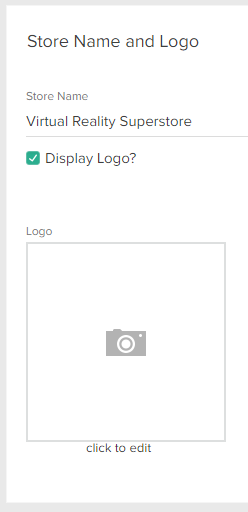
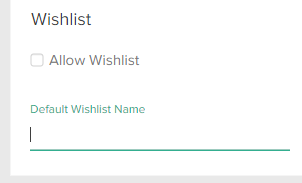
Form controls are inputs that display to Admin users in widget editors, document editors, and theme setting fields. Admin users make selections or enter text in form controls, and you can leverage these selections in other parts of your theme. For example, you can provide a checkbox that lets Admin users choose whether to enable wishlists, and include logic in your Hypr templates that displays wishlists on the storefront depending on the user’s selection.Example
Access Form Control Values
All form controls (with the exception ofpanel) have an xtype field, which specifies the type of form control, a name field, which uniquely identifies an instance of a form control, and a fieldLabel field, which displays a descriptive label about the control to Admin users. You can access a form control’s user-specified values by referencing the name field in Hypr templates, stylesheets, or scripts, as explained in the Theme Settings topic.
Types of Form Controls
The following is the complete list of form controls:| Tip: You can hide and display form controls depending on whether users have provided a value for another form control. | ||
Panel
A panel provides a visual grouping and title for other form controls.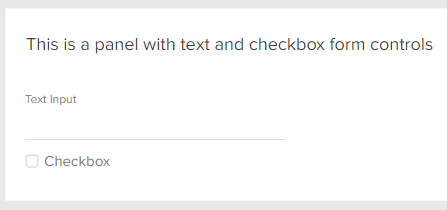
xtype | panel |
title | A title to display at the top of the panel. |
collapsed | A Boolean that specifies whether the panel options are collapsed (usually false). |
items | A collection of form controls that display as a group within the panel. |
Date Picker
A date picker with direct text input and calendar select.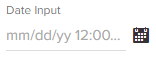
xtype | mz-input-date |
name | A unique name of your choice. |
fieldLabel | A unique label of your choice. |
(Optional) emptyText | A string to display in the text input area by default. If you omit this field, the default is blank. |
Code Editor
A code editor with syntax highlighting Form Control Fields:
xtype | mz-input-code |
name | A unique name of your choice. |
fieldLabel | A unique label of your choice. |
(Optional) width | A width in pixels. If you omit this field, the default is 360. |
(Optional) mode | The programming language to use for syntax highlighting (for example, javascript). If you omit this field, the default is html. |
Rich Text Editor
A rich text editor with formatting controls and HTML input. Form Control Fields:
xtype | mz-input-richtext |
name | A unique name of your choice. |
fieldLabel | A unique label of your choice. |
(Optional) width | A width in pixels. If you omit this field, the default is 360. |
(Optional) enableAlignments | A Boolean that specifies whether to provide text alignment options. If you omit this field, the default is false. |
(Optional) enableColors | A Boolean that specifies whether to enable font color and highlighting options. If you omit this field, the default is false. |
(Optional) enableFont | A Boolean that specifies whether to enable font type options. If you omit this field, the default is false. |
(Optional) enableFontSize | A Boolean that specifies whether to enable font size options. If you omit this field, the default is false. |
Text Area
A multi-line text area input. Form Control Fields:
xtype | mz-input-textarea |
name | A unique name of your choice. |
fieldLabel | A unique label of your choice. |
(Optional) width | A width in pixels. If you omit this field, the default is 360. |
(Optional) emptyText | A string to display in the text input area by default. If you omit this field, the default is blank. |
Text Input
A single-line text input.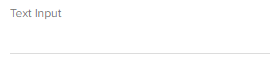
xtype | mz-input-text |
name | A unique name of your choice. |
fieldLabel | A unique label of your choice. |
(Optional) width | A width in pixels. If you omit this field, the default is 260. |
(Optional) emptyText | A string to display in the text input area by default. If you omit this field, the default is blank. |
Dropdown Menu
A dropdown menu that allows for one selection.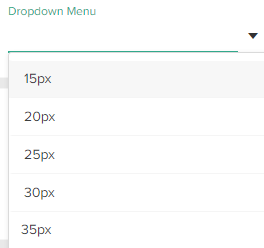
xtype | mz-input-dropdown |
name | A unique name of your choice. |
fieldLabel | A unique label of your choice. |
store | A collection of values for the menu. |
(Optional) storeFrom | The name of another form control that contains an existing store that you want to reuse. If you use this field, omit the store field in the current form control (if you leave the field in place, it is ignored). |
(Optional) width | A width in pixels. If you omit this field, the default is 260. |
(Optional) typeAhead | A Boolean that specifies whether users can type into the dropdown search box and see filtered results in real time. If you omit this field, the default is false. |
(Optional) emptyText | A string to display in the text input area by default. If you omit this field, the default is blank. |
Multiselect Menu
A dropdown menu that allows for multiple selections.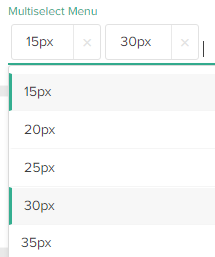
xtype | mz-input-selectmulti |
name | A unique name of your choice. |
fieldLabel | A unique label of your choice. |
store | A collection of values for the menu. |
(Optional) width | A width in pixels. If you omit this field, the default is 260. |
(Optional) typeAhead | A Boolean that specifies whether users can type into the dropdown search box and see filtered results in real time. If you omit this field, the default is false. |
(Optional) emptyText | A string to display in the text input area by default. If you omit this field, the default is blank. |
Checkbox
A standard checkbox.
xtype | mz-input-checkbox |
name | A unique name of your choice. |
fieldLabel | A unique label of your choice. |
Number Input
An input that only accepts numbers.
xtype | mz-input-number |
name | A unique name of your choice. |
fieldLabel | A unique label of your choice. |
(Optional) width | A width in pixels. If you omit this field, the default is 260. |
(Optional) allowDecimals | A Boolean that specifies whether users can enter decimal numbers. If you omit this field, the default is false. |
(Optional) emptyText | A string to display in the text input area by default. If you omit this field, the default is blank. |
Advanced Image Input
An image uploader that also allows editing the properties and style of the image Form Control Fields:
xtype | mz-input-image |
name | A unique name of your choice. |
fieldLabel | A unique label of your choice. |
Intermediate Image Input
An image uploader that allows editing the properties but not the style of the image. Form Control Fields:
xtype | mz-input-image-nostyle |
name | A unique name of your choice. |
fieldLabel | A unique label of your choice. |
Basic Image Input
An input that allows you to upload an image, but does not let you edit the image properties or style. Form Control Fields:
xtype | mz-input-imageurl |
name | A unique name of your choice. |
fieldLabel | A unique label of your choice. |
Product Input
An input that allows you to select an existing product from a catalog. Form Control Fields:
xtype | mz-input-product |
name | A unique name of your choice. |
fieldLabel | A unique label of your choice. |
(Optional) emptyText | A string to display in the text input area by default. If you omit this field, the default is Select Product. |
Product Multiselect
An input that allows you to select multiple products from a catalog. Form Control Fields:
xtype | mz-input-productmulti |
name | A unique name of your choice. |
fieldLabel | A unique label of your choice. |
(Optional) emptyText | A string to display in the text input area by default. If you omit this field, the default is Select Products. |
Category Input
An input that allows you to select an existing category from a catalog. Form Control Fields:
xtype | mz-input-category |
name | A unique name of your choice. |
fieldLabel | A unique label of your choice. |
Category Multiselect
An input that allows you to select multiple categories from a catalog. Form Control Fields:
xtype | mz-input-categorymulti |
name | A unique name of your choice. |
fieldLabel | A unique label of your choice. |
Discount Input
An input that allows you to select an existing discount. Form Control Fields:
xtype | mz-input-discount |
name | A unique name of your choice. |
fieldLabel | A unique label of your choice. |
(Optional) emptyText | A string to display in the text input area by default. If you omit this field, the default is Select Discount. |
Discount Multiselect
An input that allows you to select multiple discounts. Form Control Fields:
xtype | mz-input-discountmulti |
name | A unique name of your choice. |
fieldLabel | A unique label of your choice. |
(Optional) emptyText | A string to display in the text input area by default. If you omit this field, the default is Select Discounts. |
Navigation Node Input
An input that allows you to select a navigation node (such as a page, template, or email template) from your Content Editor tree. Form Control Fields:
xtype | mz-input-navnode |
name | A unique name of your choice. |
fieldLabel | A unique label of your choice. |
(Optional) emptyText | A string to display in the text input area by default. If you omit this field, the default is Select Navigation Nodes. |
Navigation Node Multiselect
An input that allows you to select multiple navigation node (such as a pages, templates, or email templates) from your Content Editor tree. Form Control Fields:
xtype | mz-input-navnodemulti |
name | A unique name of your choice. |
fieldLabel | A unique label of your choice. |
(Optional) emptyText | A string to display in the text input area by default. If you omit this field, the default is Select Navigation Nodes. |
Color Picker
A color picker that allows you to specify a color manually or using a GUI. Form Control Fields:
xtype | mz-input-color |
name | A unique name of your choice. |
fieldLabel | A unique label of your choice. |
(Optional) width | A width in pixels. If you omit this field, the default is 260. |
Hide and Display Form Controls
You can hide, show, enable, or disable form controls using the following Boolean fields:Example
Let’s assume you want to enable a checkbox only if a user enters text into a text input. Furthermore, let’s assume you only want to display an image input only if the user enables the checkbox. Here’s code that would accomplish that:Results
Before the User Completes the Form: After the User Completes the Form: