> ## Documentation Index
> Fetch the complete documentation index at: https://docs.kibocommerce.com/llms.txt
> Use this file to discover all available pages before exploring further.
# Shipping Zones
Shipping zones allow you to divide the globe into geographical regions where the same shipping methods and rates apply for all addresses. Kibo eCommerce comes with default shipping zones. You can create other shipping zones with regular expressions, which are sequences of characters used for search patterns.
## Create a Shipping Zone
Kibo eCommerce recommends editing or duplicating existing zones as a starting place for creating your own custom zones, rather than making one from scratch. However, if you must create a new shipping zone:
1. Go to **System** > **Settings** > **Shipping** > **Zones**.
2. Select the site you want to specify options for from the top bar.
3. Expand the actions menu to edit or duplicate existing zones. If you do not want to edit or duplicate an existing zone, click **Create New Zone**.
4. Enter a **Name**.
5. Enter a **Description**.
6. Enter an **Expression**. The expression generally uses a format based on country codes, such as *CountryCode eq "AR"*.
7. Click **Save**.
## Shipping Zone Expressions
Expressions apply to a shipment's destination address. You can use the following properties in custom expressions:
* *CountryCode*
* *CityOrTown*
* *StateOrProvince*
* *PostalOrZipCode*
* *AddressType*
* *Address1*
* *Address2*
* *Address3*
* *Address4*
Regular expressions use comparison and Boolean operators. The following operators are supported for shipping zones:
| Operator | Definition |
| -------- | ------------ |
| *CONT* | Contains |
| *EQ* | Equals |
| *GT* | Greater Than |
| *IN* | Contained In |
| *LT* | Less Than |
| *NE* | Not Equals |
| *SW* | Starts With |
| *OR* | Boolean Or |
| *AND* | Boolean And |
## Zone Example
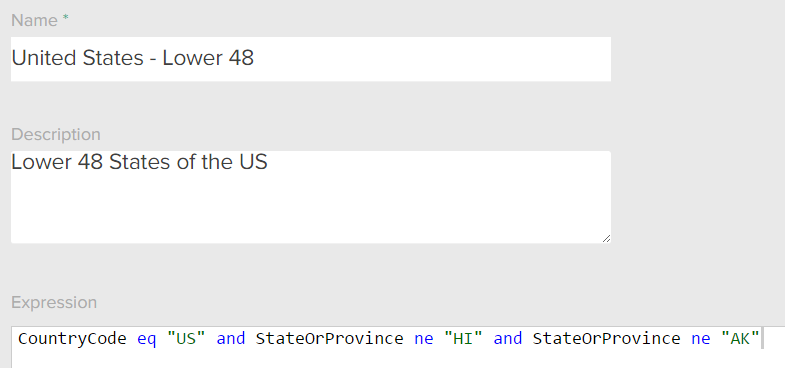
For example, you want to create shipping zones for your sporting goods stores: one for the lower 48 US states and one for all countries in South America. You enter the following expression for the lower 48 US states zone:
 ### Expression:
```
CountryCode eq "US" and StateorProvince ne "HI" and StateorProvince ne "AK"
```
And you enter the following expression for the South American zone:
### Expression:
```
CountryCode eq "US" and StateorProvince ne "HI" and StateorProvince ne "AK"
```
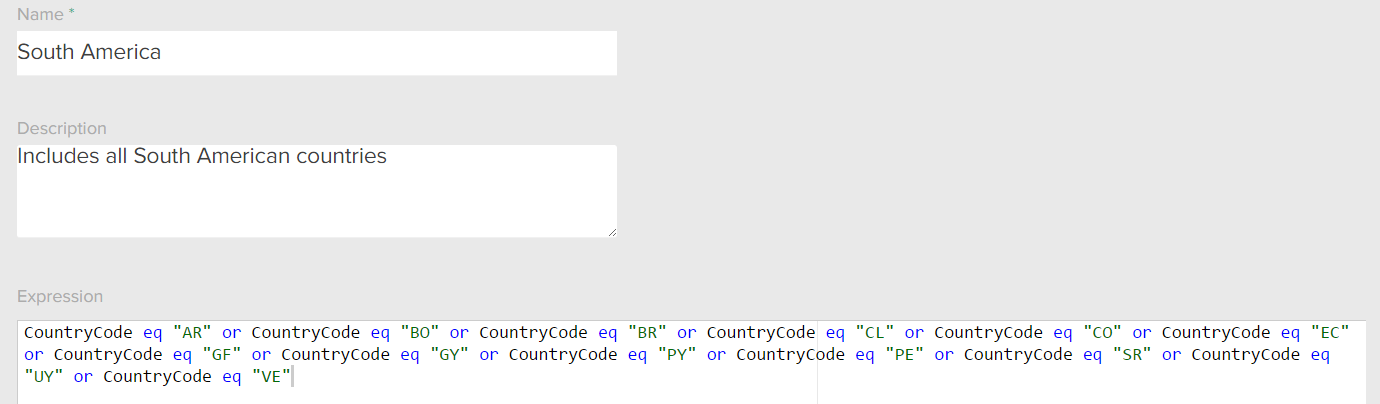
And you enter the following expression for the South American zone:
 ### Expression:
```
CountryCode eq "AR" or CountryCode eq "BO" or CountryCode eq "BR" or CountryCode eq "CL" or CountryCode eq "CO" or CountryCode eq "EC" or CountryCode eq "GF" or CountryCode eq "GY" or CountryCode eq "PY" or CountryCode eq "PE" or CountryCode eq "SR" or CountryCode eq "UY" or CountryCode eq "VE"
```
### Expression:
```
CountryCode eq "AR" or CountryCode eq "BO" or CountryCode eq "BR" or CountryCode eq "CL" or CountryCode eq "CO" or CountryCode eq "EC" or CountryCode eq "GF" or CountryCode eq "GY" or CountryCode eq "PY" or CountryCode eq "PE" or CountryCode eq "SR" or CountryCode eq "UY" or CountryCode eq "VE"
```