> ## Documentation Index
> Fetch the complete documentation index at: https://docs.kibocommerce.com/llms.txt
> Use this file to discover all available pages before exploring further.
# Search Types
Within each site, there are four search types to configure, organized into tabs:
See how vector search enhances product discovery with AI-powered results
1. Site Search
2. Category Suggestion (Visual Search)
3. Product Suggestion (Visual Search)
4. Listing
You must save your changes before switching to a new search type.
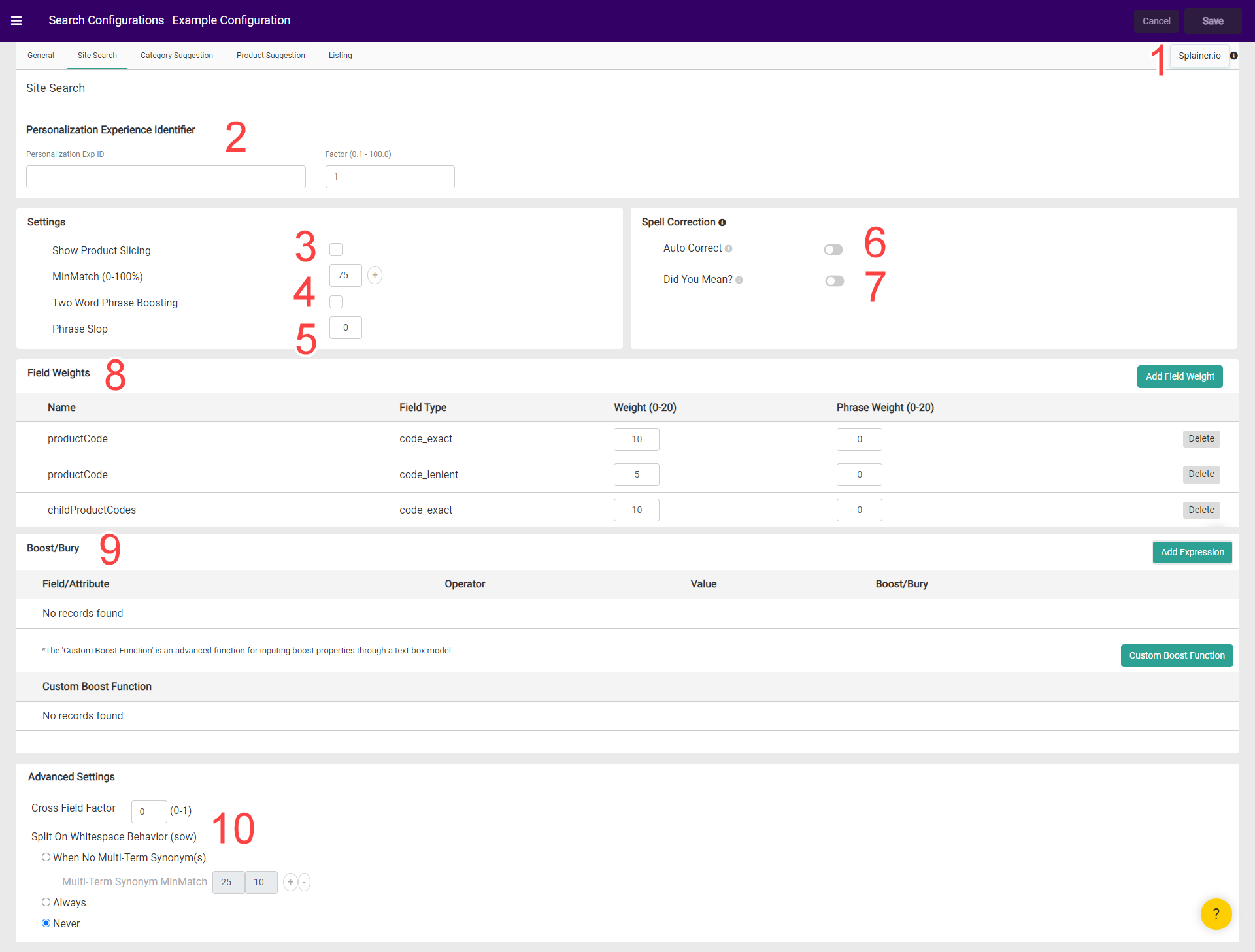
## Site Search
Within Site Search the available options are:
1. [Splainer](/pages/third-party-search-tools#splainer "Third-Party Search Tools")
2. [Personalization](/pages/personalized-search)
3. [Product Slicing](/pages/product-slicing-within-search)
4. [MinMatch](/pages/minmatch)
5. [Phrase Slop](/pages/phrase-slop)
6. [Auto Correct](/pages/spell-correction#auto-correct)
7. [Did You Mean?](/pages/spell-correction#did-you-mean)
8. [Field Weights](/pages/field-weights)
9. [Boost/Bury](/pages/boost-and-bury)
10. [Whitespace](/pages/whitespace)
##  ## Category Suggestion
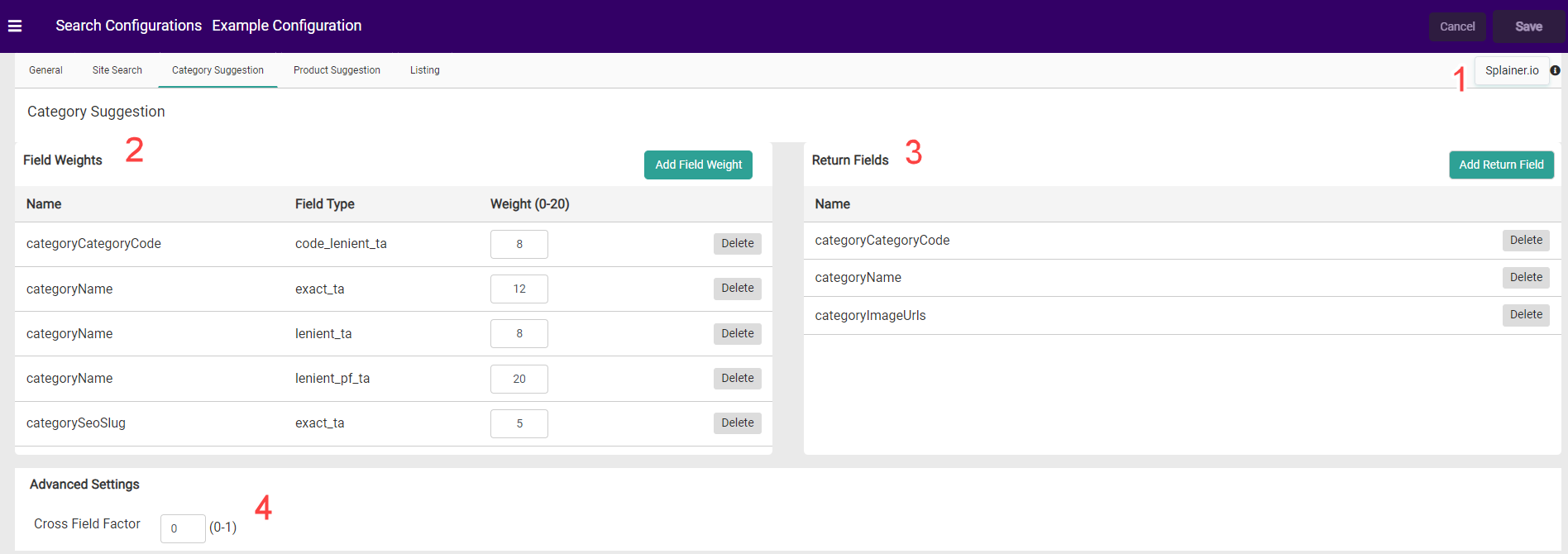
Within Category Suggestion the available options are:
1. [Splainer](/pages/third-party-search-tools#splainer "Third-Party Search Tools")
2. [Field Weights](/pages/field-weights)
3. [Return Fields](/pages/return-fields)
4. [Whitespace](/pages/whitespace)
##
## Category Suggestion
Within Category Suggestion the available options are:
1. [Splainer](/pages/third-party-search-tools#splainer "Third-Party Search Tools")
2. [Field Weights](/pages/field-weights)
3. [Return Fields](/pages/return-fields)
4. [Whitespace](/pages/whitespace)
##  ## Product Suggestion
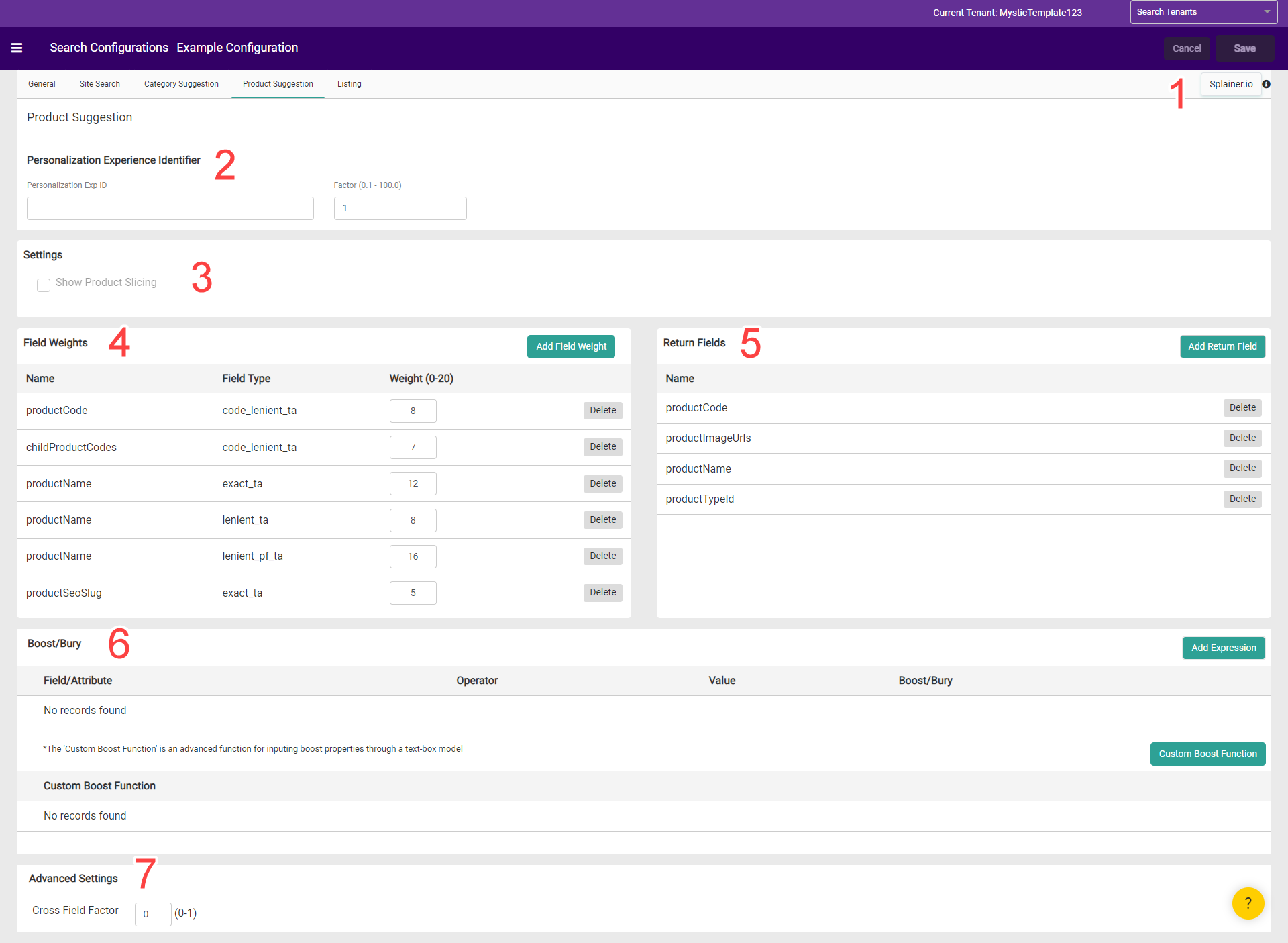
Within Product Suggestion the available options are:
1. [Splainer](/pages/third-party-search-tools#splainer "Third-Party Search Tools")
2. [Personalization](/pages/personalized-search)
3. [Product Slicing](/pages/product-slicing-within-search)
4. [Field Weights](/pages/field-weights)
5. [Return Fields](/pages/return-fields)
6. [Boost/Bury](/pages/boost-and-bury)
7. [Whitespace](/pages/whitespace)
##
## Product Suggestion
Within Product Suggestion the available options are:
1. [Splainer](/pages/third-party-search-tools#splainer "Third-Party Search Tools")
2. [Personalization](/pages/personalized-search)
3. [Product Slicing](/pages/product-slicing-within-search)
4. [Field Weights](/pages/field-weights)
5. [Return Fields](/pages/return-fields)
6. [Boost/Bury](/pages/boost-and-bury)
7. [Whitespace](/pages/whitespace)
##  ## Listing
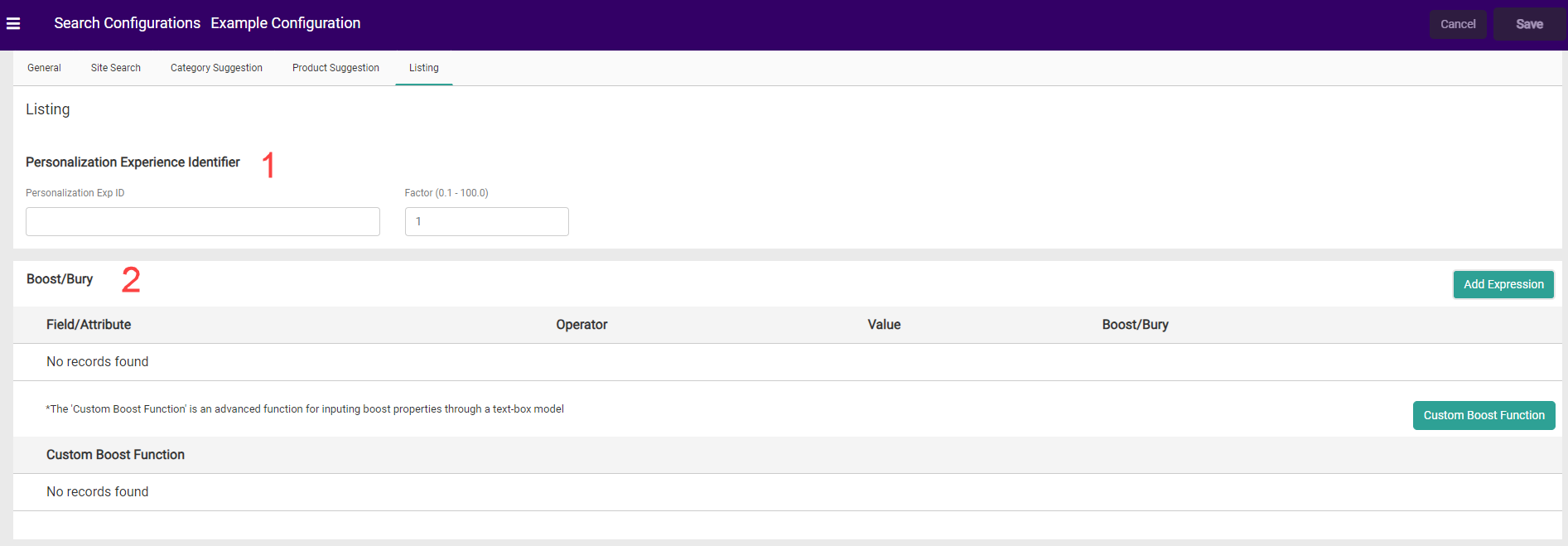
Within Listing the available options are:
1. [Personalization](/pages/personalized-search)
2. [Boost/Bury](/pages/boost-and-bury)
## Listing
Within Listing the available options are:
1. [Personalization](/pages/personalized-search)
2. [Boost/Bury](/pages/boost-and-bury)
 Once all your search types have been configured, click **Save** to return to the Search Configurations landing page.
