> ## Documentation Index
> Fetch the complete documentation index at: https://docs.kibocommerce.com/llms.txt
> Use this file to discover all available pages before exploring further.
# Personalized Search
## Overview
If you have personalized search, recommendation strategies can be combined with this search configuration on your site.
The scores from the recommendation strategies in personalization are combined with the relevancy/weighting scores to create an order within the search results. You can also apply a factor of 0.1 to 5 to your personalization scores, giving an additional weight to products from those strategies.\\
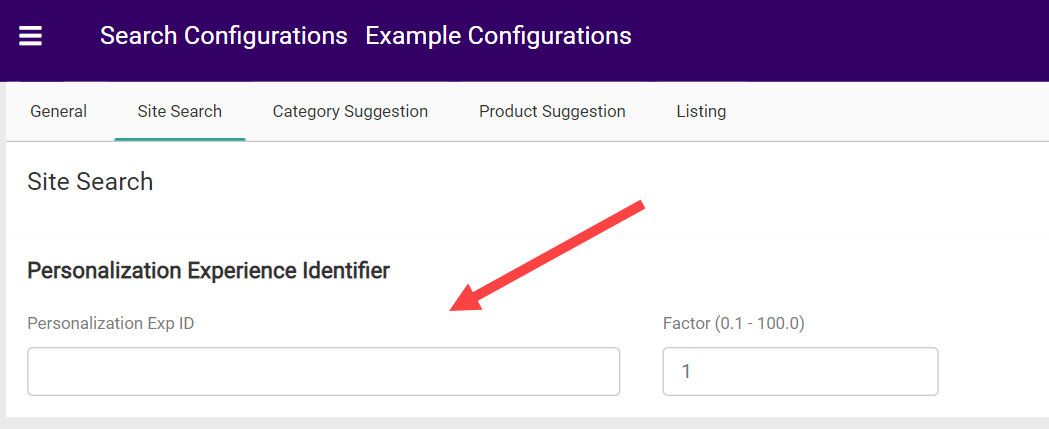 Add your Experience ID to the Search Configurations in the field shown above. Make sure your Monetate Experience is activated, not paused, when entering the Experience ID into Kibo.
## Creating a Personalized Search Experience
1. On the Personalization platform ([marketer.monetate.net](https://marketer.monetate.net/auth/login/)), access this function by clicking the **EXPERIENCES** tab and then selecting **Web**.
Add your Experience ID to the Search Configurations in the field shown above. Make sure your Monetate Experience is activated, not paused, when entering the Experience ID into Kibo.
## Creating a Personalized Search Experience
1. On the Personalization platform ([marketer.monetate.net](https://marketer.monetate.net/auth/login/)), access this function by clicking the **EXPERIENCES** tab and then selecting **Web**.  2. Click **CREATE EXPERIENCE**.\\
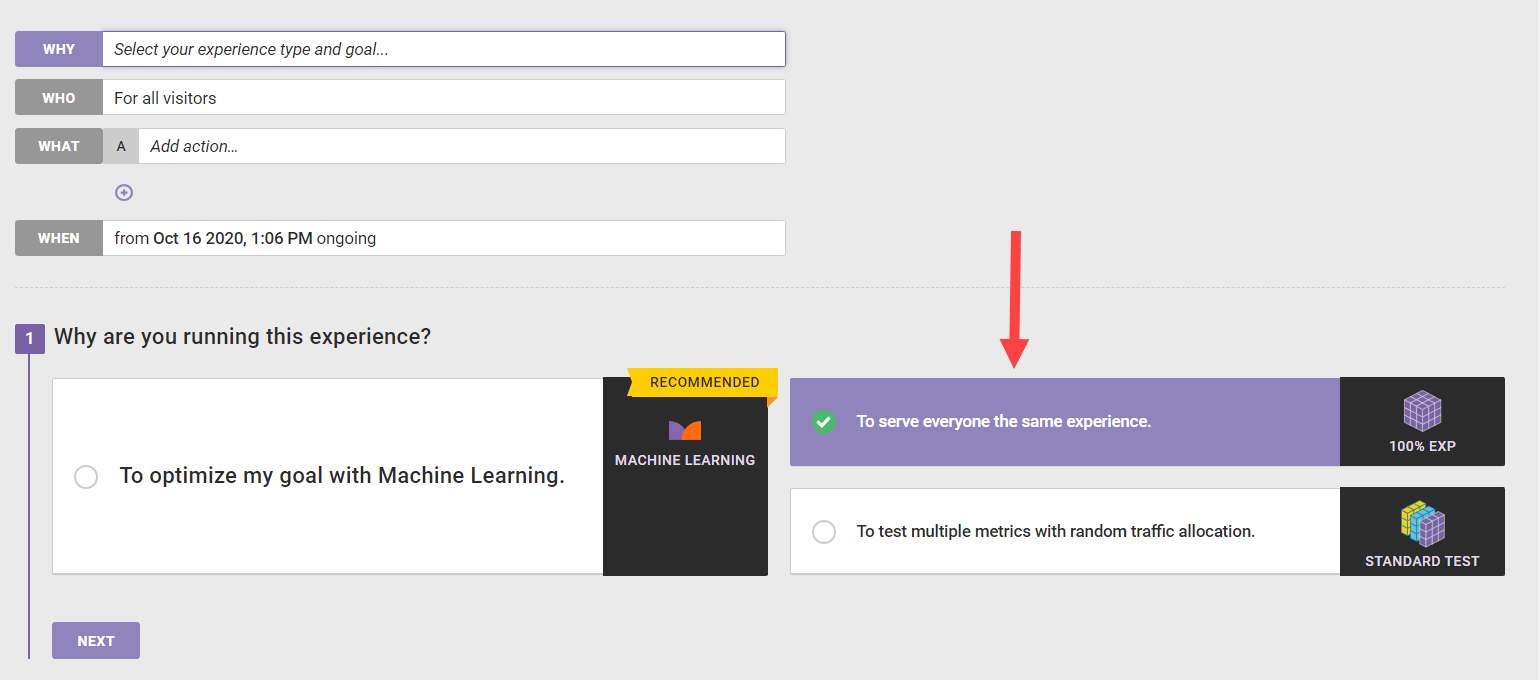
 3. When defining the WHO portion of the experience, click **To serve everyone the same experience**. Select a goal metric and secondary metrics as appropriate to complete this definition.\\
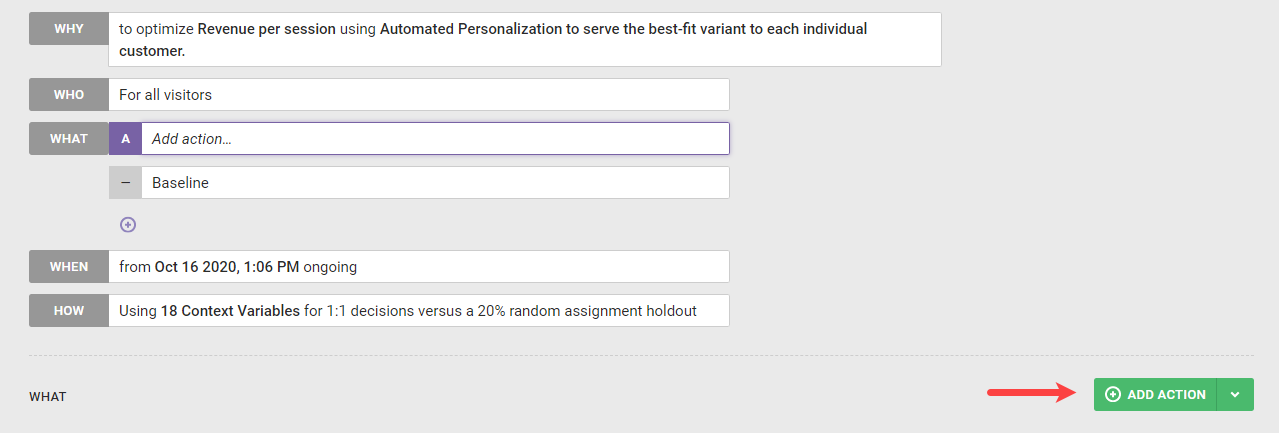
 4. When defining the WHAT portion of the experience, click **ADD ACTION**.\\
 5. Click the **Site Recommendation** tile.\\
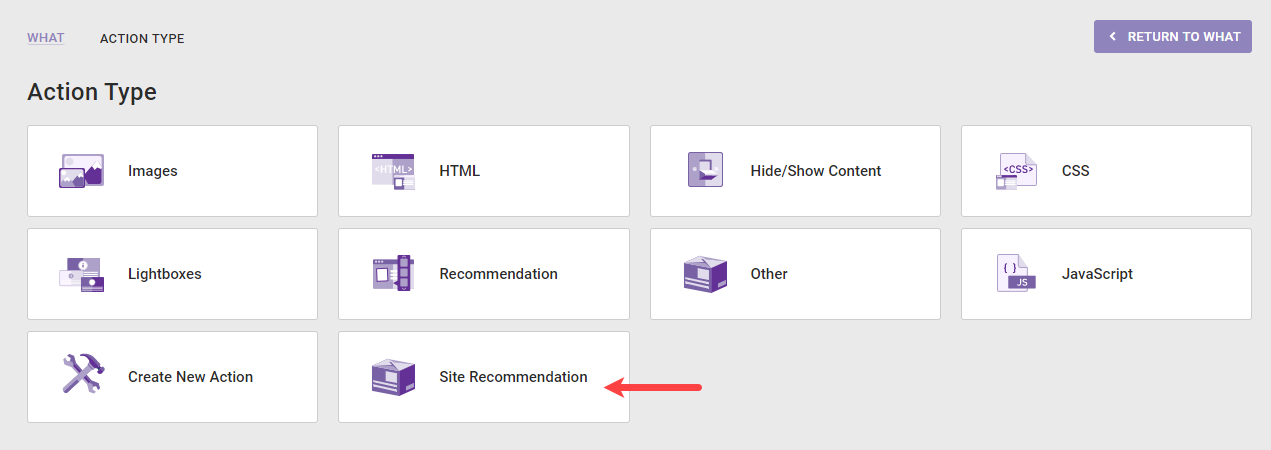 6. Click the link for **Site Search Recommendations**.\\
 7. Choose up to four Recommendation Strategies, minimum/maximum items, and optional inputs, then click **CREATE**.\\
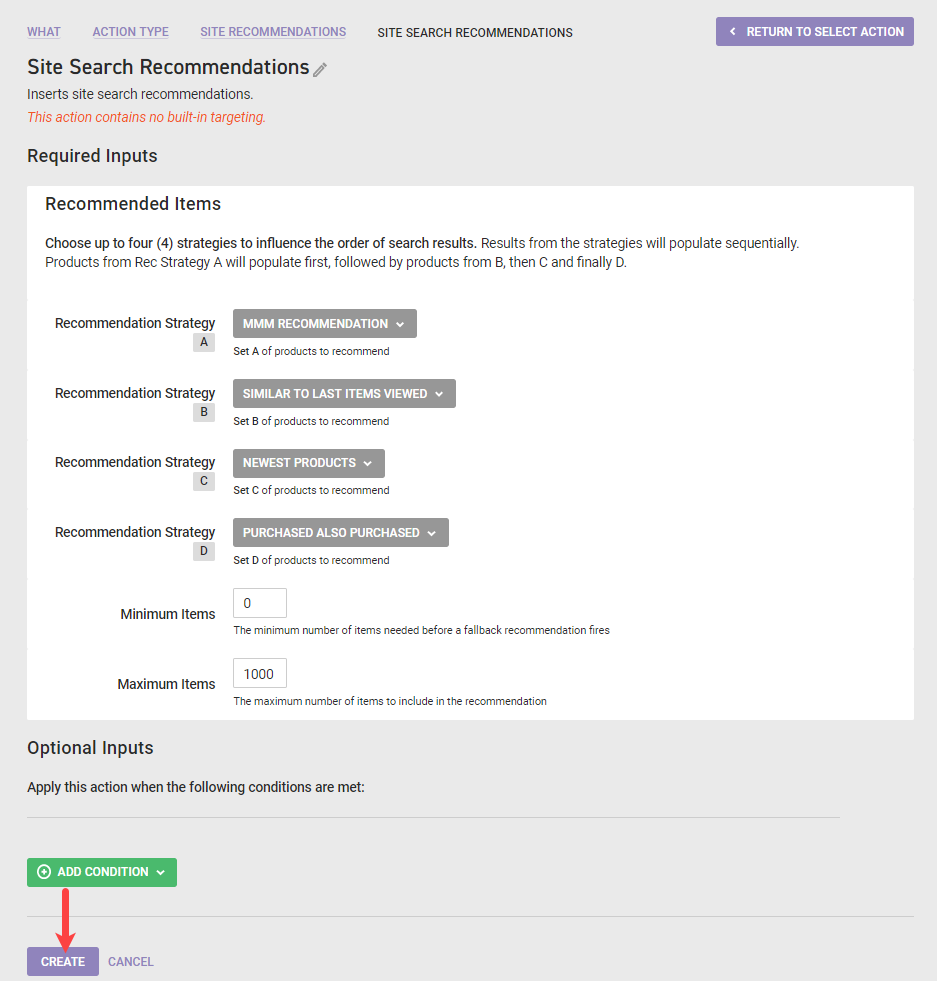 8. This will bring you back to the experience editor. Click **ACTIVATE** to enable the experience.\\
 9. To get the Personalization Experience Identifier, click the experience from the list to load the details.\\
 10. Once the experience details load, the number at the end of the URL is the data you need for the Personalization Experience Identifier within KCCP Search Configurations. Copy this number from the personalization platform and paste it into the field within Search. An example URL and Personalization Experience Identifier is shown here.\\
