> ## Documentation Index
> Fetch the complete documentation index at: https://docs.kibocommerce.com/llms.txt
> Use this file to discover all available pages before exploring further.
# Email Settings
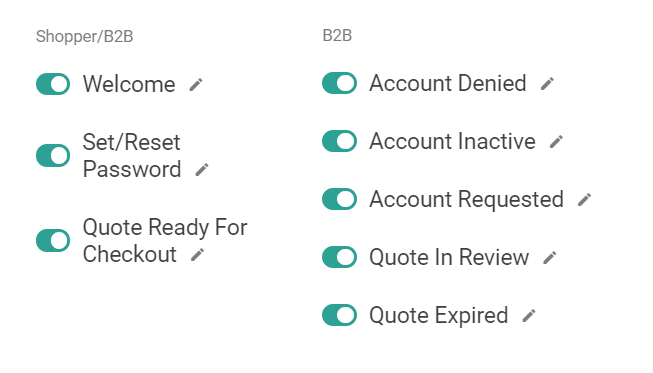
In **System** > **Settings** > **General**, there are several emails can be toggled on and off for B2B.
See how to configure email and SMS notification settings
* **Welcome:** Shared with non-B2B shoppers, this email is sent when an account is created and approved.
* **Set/Reset Password:** Shared with non-B2B shoppers, this email is also triggered on account creation and approval.
* **Quote Ready For Checkout:** Sent when a quote has been approved by the seller and is ready for the buyer to turn into an order. See the [Quotes](/pages/quotes) guide for more information.
* **Account Denied:** Sent when a B2B account request is denied by an administrator.
* **Account Inactive:** Sent when a B2B account is deactivated.
* **Account Requested:** A confirmation email that is sent when a B2B account is requested.
* **Quote In Review:** A notification that the seller should now be reviewing the quote that the buyer submitted.
* **Quote Expired:** A notification that a quote has reached its expiration date and can no longer be edited or purchased.