> ## Documentation Index
> Fetch the complete documentation index at: https://docs.kibocommerce.com/llms.txt
> Use this file to discover all available pages before exploring further.
# Channel Dashboard
The Channel dashboard breaks down metrics by specific channels, displaying performance for a particular channel or comparing performance across multiple channels. This can be viewed under the orders topic at **Kibo Standard Reports** > **Order** > **Channel Dashboard** in the navigation menu.
Learn how to configure and manage channels
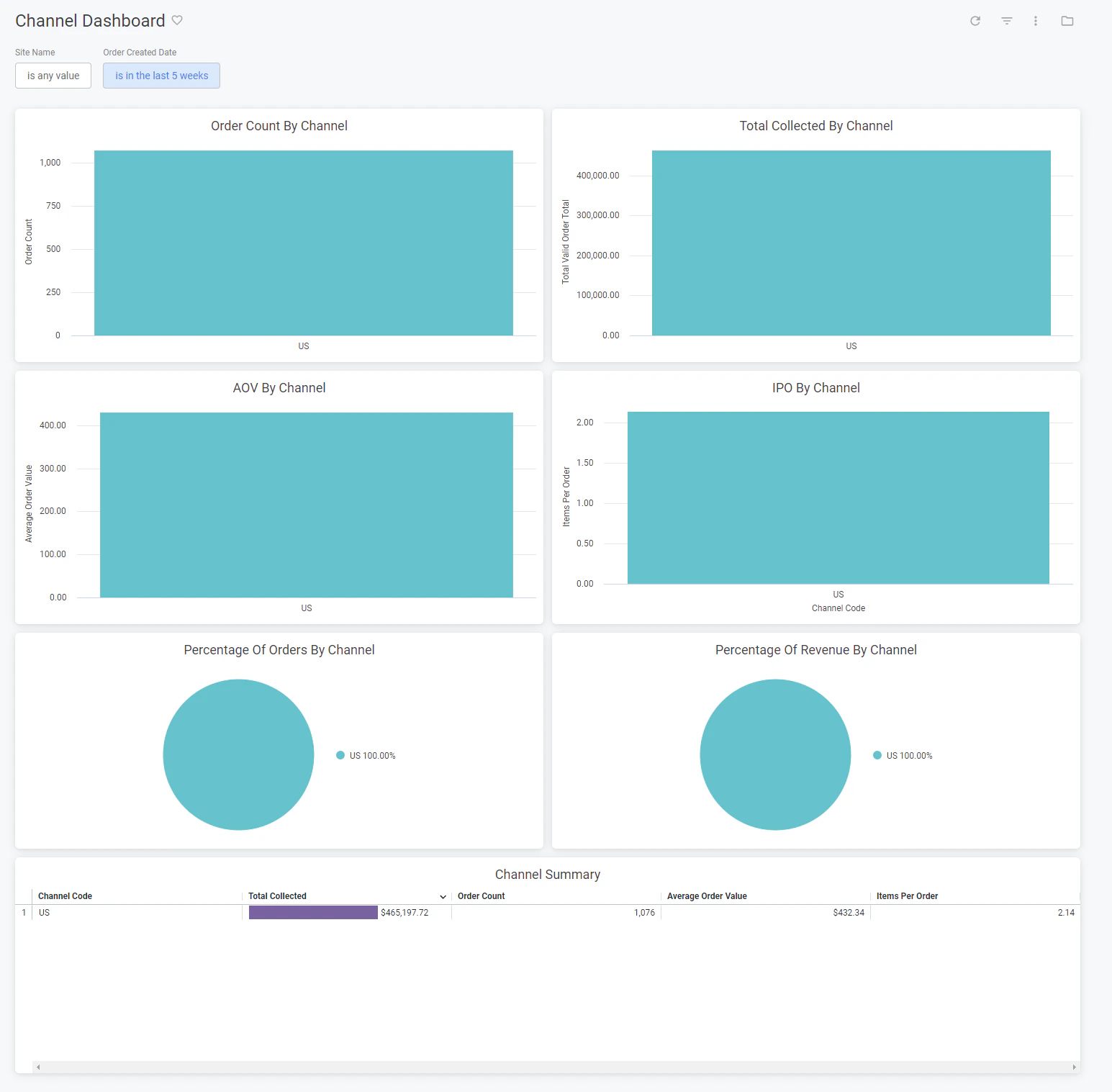 The supported filters that can be applied to this dashboard are:
| Name | Description | Default |
| ------------------ | ------------------------------------------------------------ | --------------- |
| Site Name | Restrict results to one or more of your sites. | All |
| Order Created Date | Limit results to only orders created within this time range. | Past five weeks |
The measures that are calculated by this dashboard are:
| Name | Description |
| ------------------- | --------------------------------------------------------------------------------------------------- |
| Total Collected | Sum of the total for all valid orders. |
| Order Count | Count of all valid orders. |
| Average Order Value | The order total divided by the valid order count. |
| Items Per Order | The count of all order items associated with valid orders divided by the count of all valid orders. |
The tiles that make up this dashboard are:
| Name | Description |
| -------------------------------- | --------------------------------------------------------------------------------------------- |
| Order Count By Channel | The count of valid orders for each channel. |
| Total Collected By Channel | The total collected for each channel. |
| AOV By Channel | The average order value for each channel. |
| IPO By Channel | The items per order for each channel. |
| Percentage Of Orders By Channel | The order count for each channel as a percentage of the order count for all channels. |
| Percentage Of Revenue By Channel | The total collected for each channel as a percentage of the total collected for all channels. |
| Channel Summary | The total collected, order count, average order value, and items per order for each channel. |
The supported filters that can be applied to this dashboard are:
| Name | Description | Default |
| ------------------ | ------------------------------------------------------------ | --------------- |
| Site Name | Restrict results to one or more of your sites. | All |
| Order Created Date | Limit results to only orders created within this time range. | Past five weeks |
The measures that are calculated by this dashboard are:
| Name | Description |
| ------------------- | --------------------------------------------------------------------------------------------------- |
| Total Collected | Sum of the total for all valid orders. |
| Order Count | Count of all valid orders. |
| Average Order Value | The order total divided by the valid order count. |
| Items Per Order | The count of all order items associated with valid orders divided by the count of all valid orders. |
The tiles that make up this dashboard are:
| Name | Description |
| -------------------------------- | --------------------------------------------------------------------------------------------- |
| Order Count By Channel | The count of valid orders for each channel. |
| Total Collected By Channel | The total collected for each channel. |
| AOV By Channel | The average order value for each channel. |
| IPO By Channel | The items per order for each channel. |
| Percentage Of Orders By Channel | The order count for each channel as a percentage of the order count for all channels. |
| Percentage Of Revenue By Channel | The total collected for each channel as a percentage of the total collected for all channels. |
| Channel Summary | The total collected, order count, average order value, and items per order for each channel. |